VFX AI vs CapCut
VFX AI and CapCut both help creators produce short-form video content, but they serve very different types of workflows. While CapCut focuses on manual editing with templates and creator-friendly tools, VFX AI is built for automated, cinematic, and scalable AI video production. This comparison helps creators, marketers, brands, and agencies understand which platform best fits their content goals.

Pick VFX AI if you:
- Want cinematic, high-performing social videos
- Need automation from creation to publishing
- Run a brand, agency, or content marketing team
- Want consistent branding across all content
- Need scalable content production for campaigns

Pick CapCut if you:
- Want access to templates and trending effects
- Create casual TikTok or Instagram content
- Need a beginner-friendly editing app
- Edit videos manually on mobile devices
- Focus mainly on creator-style content
Biggest Difference
VFX AI is an AI video automation and production platform built for scalable content creation, while CapCut is a manual-first video editor focused on templates, effects, and social media editing workflows.
What VFX AI Does Differently
VFX AI is an automation-first AI video editing platform designed to create production-quality videos at scale without requiring traditional editing skills.
Publishing Automation
Unlike traditional video editing apps, VFX AI includes integrated scheduling and publishing tools that simplify content distribution.
- Multi-platform publishing
- Built-in scheduler
- Automated formatting for each platform
- Centralized content management
AI Video Production
Instead of manually editing timelines, VFX AI automates video generation based on content goals and visual outcomes.
- Automated transitions and effects
- AI-generated motion graphics
- Outcome-based workflows
- Faster production pipelines
Cinematic Visual Systems
VFX AI focuses heavily on platform-native visuals designed to improve engagement and retention across social media.
- Motion design systems
- Platform-native video optimization
- Scroll-stopping visuals
- High-converting ad creatives
Multi-Platform Content Repurposing
One piece of content can automatically become multiple optimized formats for different social media channels.
- Instagram Reels
- TikTok videos
- YouTube Shorts
- LinkedIn content and more
Advanced Brand Consistency
VFX AI automatically applies your brand identity across all generated content using built-in AI branding systems.
- Brand colors and typography
- Logo placement automation
- Consistent motion styles
- Reusable visual systems
What CapCut Does Differently
CapCut is designed as a lightweight, creator-friendly video editing app focused on fast editing, templates, and social media trends.
Mobile-First Editing Experience
CapCut is optimized primarily for mobile creators who want to edit videos quickly on smartphones or tablets.
- Drag-and-drop editing
- Touch-friendly interface
- Mobile editing workflows
- Fast export options
Trending Templates & Effects
CapCut is widely used because of its large collection of templates, filters, transitions, and viral editing styles.
- Viral TikTok templates
- Social media effects
- Music synchronization
- One-click visual styles
Manual Creative Control
Unlike fully automated AI platforms, CapCut gives users hands-on control over timelines, edits, trimming and more.
- Timeline editing
- Layer-based adjustments
- Manual transitions
- Fine-grain clip trimming
Fast Casual Content Creation
CapCut is ideal for creators who want to produce quick content without complex workflows or production systems.
- Beginner-friendly setup
- Fast learning curve
- Quick edits for social media
- Easy meme and trend content creation
How to Switch from CapCut to VFX AI
Moving from CapCut to VFX AI allows creators and teams to transition from manual editing into scalable AI-driven content production.
Define your content goals
Choose whether you want to create ads, branded videos, short-form campaigns, or multi-platform content. VFX AI adapts workflows automatically.
Add your brand identity
Upload your logos, fonts, brand colors, and styling preferences once. VFX AI automatically applies them across all generated content.
Upload your source content
Import podcasts, webinars, YouTube videos, raw footage, or existing social media assets into the VFX AI platform with a single click.
Generate polished video outputs
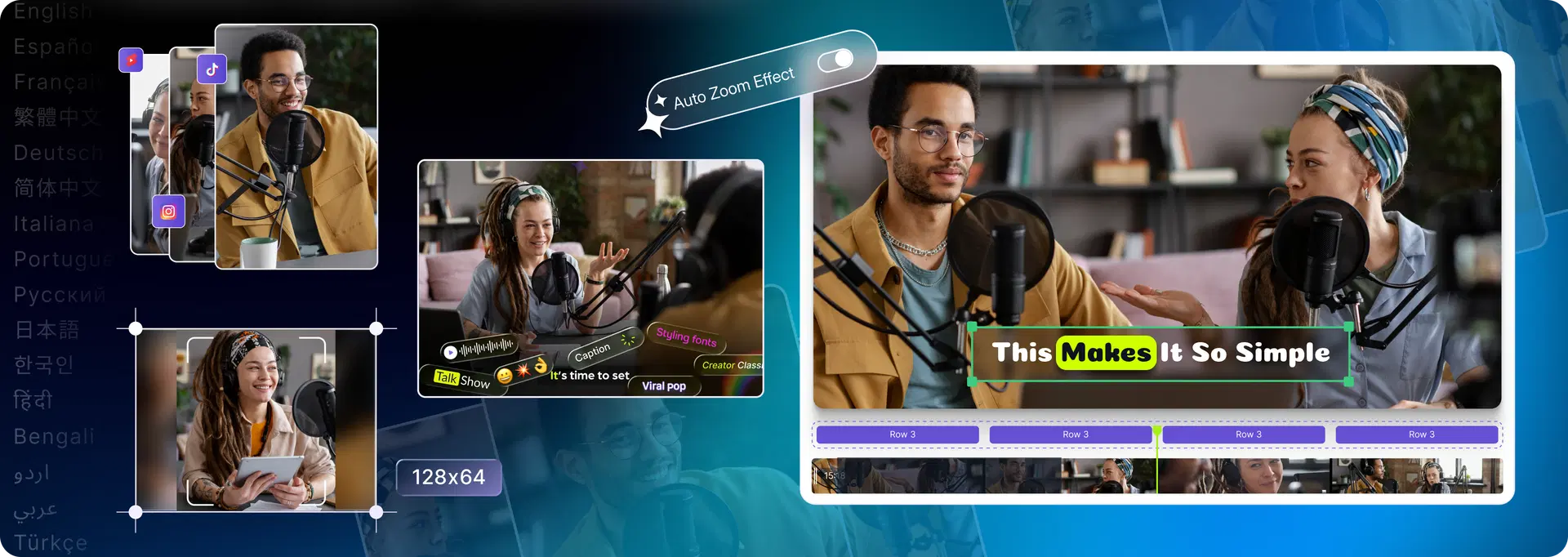
VFX AI automatically creates cinematic edits with AI-powered captions, transitions, motion graphics, and optimized formatting.
Publish across platforms
Use the built-in publishing system to distribute content across TikTok, Instagram, YouTube, LinkedIn, and more without additional tools.
That's it.
No complex timelines. No layered editing. No platform-by-platform publishing.
Why Teams Switch from CapCut to VFX AI
Need scalable content production
Require consistent brand identity
Need automated publishing workflows
Want cinematic production quality
Frequently Asked Questions
Common questions about VFX AI vs CapCut.
Is VFX AI better than CapCut?

Is CapCut good for beginners?

Can VFX AI automate video creation?
Which platform is better for agencies?
Which tool is better for TikTok and Instagram Reels?