Introduction
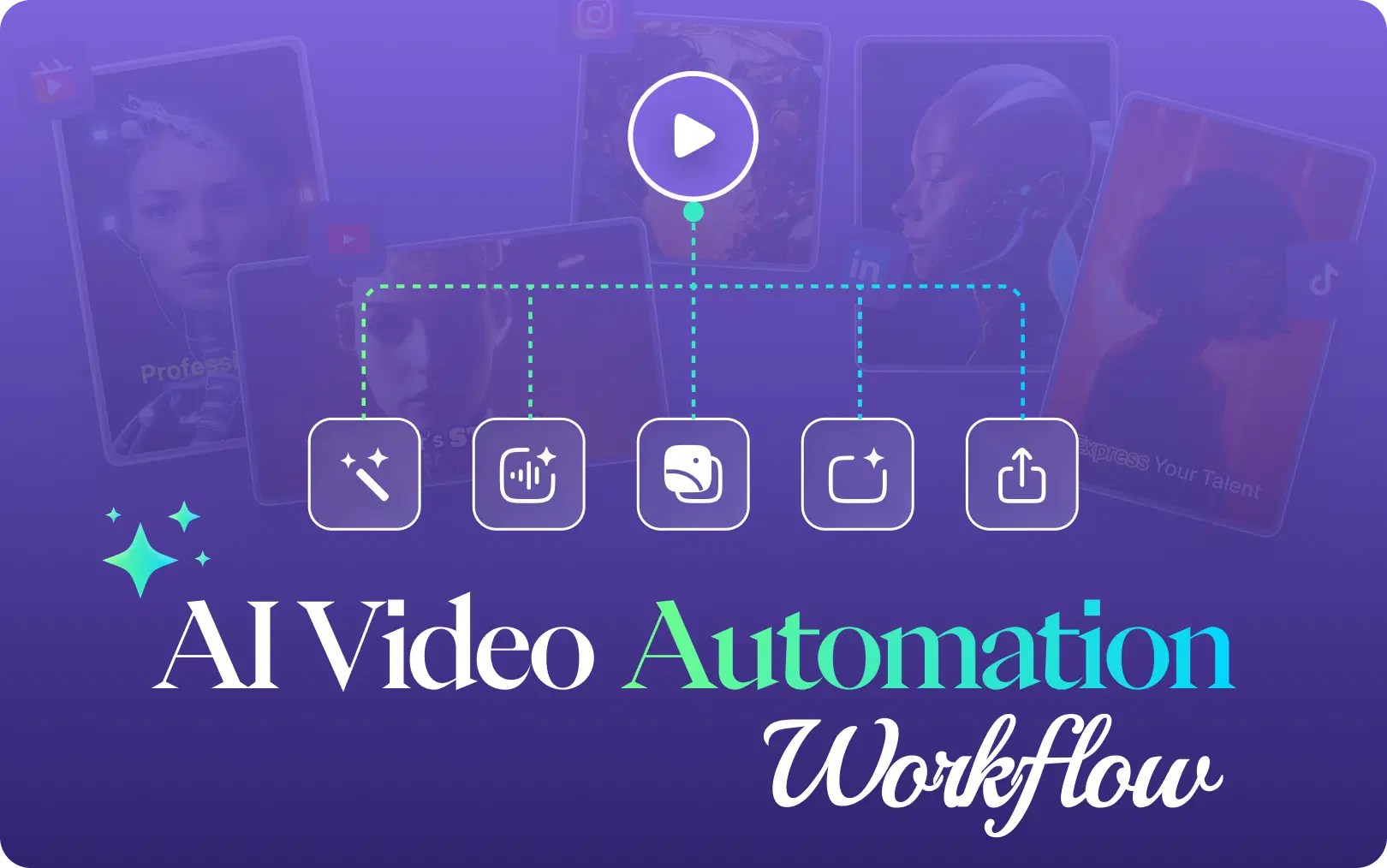
By using an AI workflow for automation, your imagination and creativity are not replaced; it's more amplified. You will focus more on the story behind your creation, while AI will handle editing, clipping, reframing, and exporting videos. In this guide, we will cover everything that you need to know about AI video automation workflows in 2026, including how to architect your own, what tools power them, and why this shift is reshaping how creators and agencies produce content at scale.
What Are AI Video Automation Workflows?
Here is one definition that actually makes sense: An AI video automation workflow is a system in which artificial intelligence handles repetitive editing tasks such as clipping, captioning, reframing, color correction, and optimization, while the user retains full control over the direction, message, and strategies behind it. Think of it as an AI video workflow automation engine for video production. Here are some major differences between traditional video editing and AI video automation workflows:
Traditional Video Editing:
- Manually mark in/out points
- Manually add captions
- Manual resizing for each platform
- Manual rendering and export of separate files for each social media platform
- Time required: 4-6 hours for each video
AI Video Automation Workflow:
- AI detects optimal cut points (scene changes, silence, pacing shifts)
- Automatic generation and synchronization of captions
- Automatic reframing for platforms such as Instagram, TikTok, YouTube, and Twitter.
- AI exports social-ready files with metadata and thumbnails
- Time required: 20-30 minutes for each video
The numbers speak for themselves: AI video editing tools save 80-90% of the time. For creators managing multiple content streams, this isn't incremental optimization. It's a fundamental workflow shift.
Why Top Creators Are Automating Video Editing in 2026
The trend is clear. Successful creators and brands don’t just work harder but create smart, efficient systems. Here is the reason why AI editing automation is a must-have today.
Volume Is Mandatory: In order to succeed, you need to publish top-notch videos every day on several channels. Manual editing makes this nearly impossible for most. Automated AI workflow takes care of that challenge.
Breaking Out of the Burnout Cycle: On average, artists spend 5-10 hours editing one YouTube video manually. Short-form video is quick and requires less time. Automation gives that time back.
Budget-Friendly: It costs thousands of dollars a month to hire a full-time editor or agency. Using automation platforms like VFX AI will help you scale up without the costs.
Maintaining Consistency: With AI editing automation, you ensure consistent visual aesthetics and branding. Your brand stays solid and consistent.
Making Time for Core Activities: Automation allows focusing on important activities, such as creating the best possible core content, interacting with your community, and growing your business.
Also Read: The Ultimate Guide to AI Video Repurposing for 2026
Traditional Editing vs. AI Automation: The 2026 Creator Stack
The difference between a traditional editing process and an AI short-form video workflow is night and day. The comparison table is mentioned below:
| Metric | Traditional Workflow | AI Automation Workflow (with VFX AI) |
|---|---|---|
| Time Investment | 5 - 20 hours per long-form video | 1 - 2 hours per long-form video |
| Clip Generation | Manual; re-watching and cutting | Automatic; AI clip maker finds viral moments |
| Captioning | Manual typing or clunky app | Automatic; AI subtitle generator with 99% accuracy |
| Repurposing | Manually re-edit for each platform | Automatic; auto reframing for 9:16, 1:1, etc. |
| Output Volume | 1 - 3 clips per long video | 20 - 50 + clips per long video |
| Cost | High (editor salary or agency fees) | Low (affordable SaaS subscription) |
| Skill Required | High (Premiere Pro, Final Cut) | Low (upload, review, export) |
How Does an AI Clip Generator Actually Work?
You might be thinking, "How do AI systems know what clips are 'good'?" The technology behind AI clip generation is highly advanced yet quite straightforward.
Platforms like VFX AI create an end-to-end AI video pipeline that mirrors and surpasses human editors' decision-making.
Ingestion & Transcription: First, you feed the system your long-form video. Your audio is transcribed automatically with nearly perfect accuracy.
AI Storytelling & Scene Detection: Here's where the magic happens. Rather than scanning for loud sounds or faces, the AI reviews the transcription to identify topics, questions, insights, and emotions. VFX AI uses AI-driven scene detection to extract the most engaging and cohesive portions, producing high-quality short-form videos.
Smart Clipping: Following its analysis, the AI will suggest multiple clips with intelligent captions. This whole AI clipping procedure eliminates hours of manual scrubbing.
AI-Powered Editing: For every single clip suggested by the tool, the AI automatically generates dynamic captions (commonly known as an auto-subtitle generator), applies jump cuts to remove dead space, and integrates your brand kit (logos, color scheme, fonts), if available.
Social-Ready Exports: The system automatically formats each clip for every platform. It uses auto reframing to center the speaker in videos, be that 9:16 TikTok clips, 1:1 Instagram posts, or 16:9 YouTube thumbnails. You get a collection of publishable assets in minutes.
The result is not just an online video editor but a true content production line.Also Read: AI Clip Generation: How AI Identifies Viral Moments in Your Videos
Building Your First AI Video Automation Workflow: A Step-by-Step Framework
Let's get practical. The following are tips on how to structure your AI video workflow for creators:
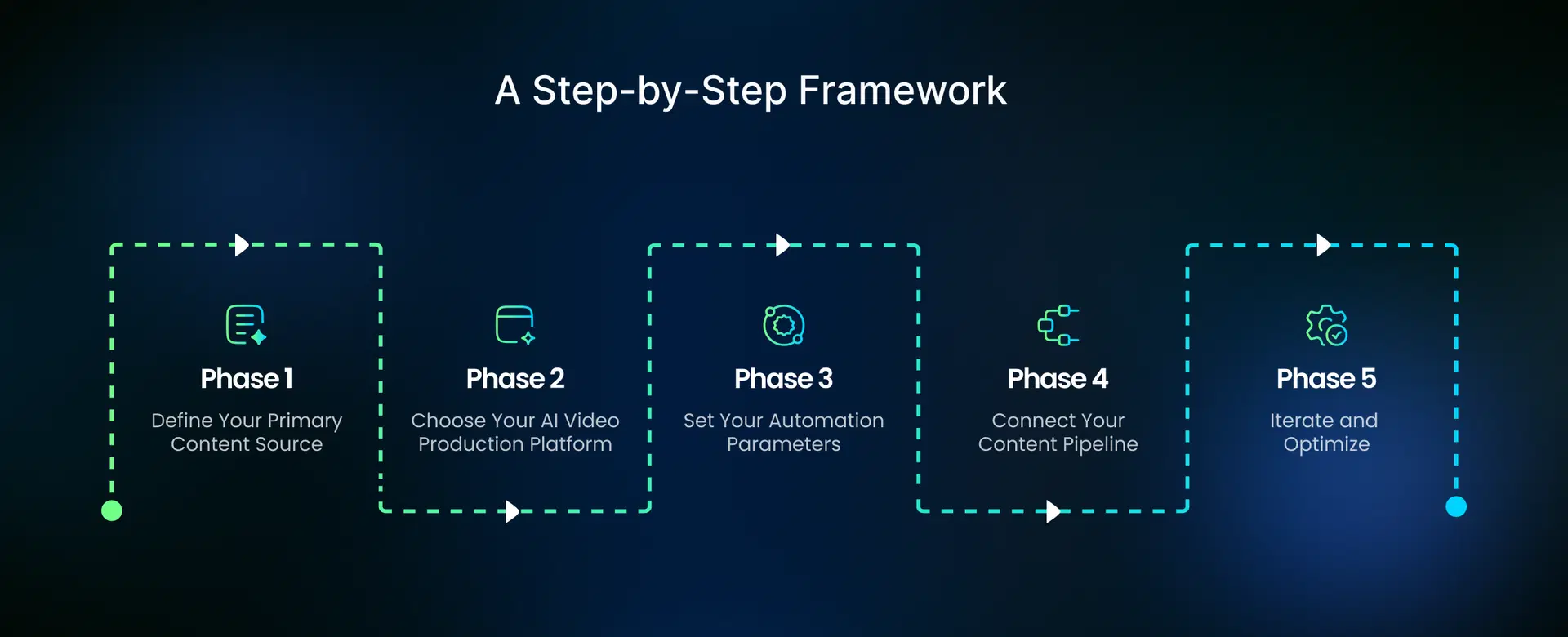
Phase 1: Define Your Primary Content Source
- What is your main long-form content source?
- Podcasts and audio interviews?
- YouTube video and livestreams?
- Webinars or tutorials?
- Conference lectures or presentations?
Your source determines your workflow entry point. Podcast episodes and YouTube videos are usually the go-to choices, especially since they are rich sources of story-based content.
Phase 2: Choose Your AI Video Production Platform
The success of your workflow will depend on the right software. Some important considerations are:
- Automatic Clipping: Does the AI understand context, or just cut at random intervals?
- Smart Auto-Captioning: Are captions auto-generated, speaker-attributed, and multi-language?
- Auto-Reframing: Can it automatically adjust and center content for various platforms?
- Batch Processing: Can it create up to 10 or more videos at once?
- API and Integration: Can it integrate with your CMS, scheduler, and analytics tools?
- Export Flexibility: Does it export social-ready files with metadata, thumbnails, and descriptions?
Phase 3: Set Your Automation Parameters
This is where your workflow becomes smart:
Select Your Clip Duration:
- TikTok: 15-60 seconds (ideal: 21-34 seconds)
- Instagram Reels: 15-90 seconds (ideal: 25-30 seconds)
- YouTube Shorts: 15-60 seconds (ideal: 35-45 seconds)
- LinkedIn: 30-120 seconds
Select Sensitivity Level: How aggressively would you like the AI to detect the clips
- Aggressive: More clips (more quantity), shorter clips (high frequency)
- Balanced: moderate clips with strong narrative value
- Conservative: Fewer but well-chosen clips
Select Output Formats: Would you require:
- Multi-format clips for different platforms (Reels, Shorts, TikTok)
- Watermarking/branding on clips
- Captioning options (burnt-in captions/SRT)
- Audio requirements
Phase 4: Connect Your Content Pipeline
Modern AI content automation systems integrate into your existing workflow:
- Upload source (podcast feed, YouTube playlist)
- AI processing (about 30 sec – 5 min)
- Review (1-2 minutes to approve and tweak)
- Publishing (directly to social networks or exporting)
This is how the content automation system works.
Phase 5: Iterate and Optimize
Your first workflow will not be flawless. Observe:
- Types of clips that engage your audience
- Clip durations that work best on different platforms
- Caption formats that resonate with your followers
- Accurate vs. inaccurate moments identified by the AI
After about 10-15 videos, you'll start seeing trends. Adjust your parameters accordingly. By video number 50, your workflow runs smoothly.
Check Out: VFX AI Smart Reframe
Common Mistakes to Avoid in Your AI Video Workflow
Going for AI can be game-changing, but there are common problems. Avoid these common mistakes:
Set It and Forget It: Remember, AI is an assistant, not a replacement. It's always advisable to do a brief human check for voice, context, and correctness.
Forgetting the Source: Your AI-generated clips are only as good as your pillar content. "Garbage in, garbage out." The focus should be on creating premium long-form videos.
Ignoring the Platform: Don't dump the same clip everywhere. Leverage the power of AI in adapting titles, descriptions, and the first few seconds for different platforms.
Selecting the Wrong Tool: Several products claim to be an ai video editor online free. However, these tools don't feature actual automation. Instead, they are template-based editors. Go for an AI video pipeline that can analyze and repurpose your content. That's the unique selling point of an AI content engine.
The Future of Content Creation: What's Next for AI Video Editing?
We are just at the beginning of the AI video revolution. Here’s what’s coming:
Generative Storytelling: AI won't just clip your videos; it will create instant B-roll, generate voiceovers, and construct entirely new narratives from your raw footage.
Hyper-Personalized Videos: AI will enable automated social media videos tailored to individual viewer segments based on their past engagement.
Automated Content Channels: Imagine a YouTube channel that identifies trending topics, scripts a video, generates it with an AI avatar, and posts it, all with minimal human oversight.
The future of AI video production workflow is less about "editing" and more about "directing" your own automated content studio.
Why VFX AI Is Built for Modern Creator Workflows
Amid a vast number of generic web apps and online tools, VFX AI was created from scratch as a central nervous system connecting all of today’s content creators and marketers.
It is not just another free AI video editor. Instead, it is a comprehensive AI creator workflow designed for scaling.
It is an Automation Platform: Unlike template-based solutions, VFX AI uses advanced AI algorithms to analyze your content and automate video editing and repurposing tasks.
It is a Platform Tailored to Short-Form Content: All features of this AI, including those for AI reels and TikTok AI editors, are designed to create effective social videos.
It Is Scalable: No matter whether you need a free ai video editor without watermark or want to scale your content creation with an agency-friendly bulk video generation option, the platform has it covered.
It's an End-To-End Solution: This AI video pipeline features smart captions, automatic reframing, brand kits, and seamless exports that turn your raw video footage into social media-ready assets within minutes.
In 2026, the aim of the creator economy is to go beyond making videos and building a personal brand. Adopting an AI video automation process is the best step you can take to scale your impact, reclaim your time, and transform your creative process from a chore into a strategic advantage.
Creators can take one long-form video and convert it into a ton of social media-friendly content in minutes using tools like VFX AI without sacrificing creativity. The future of content creation belongs to creators who automate intelligently.