Introduction
Now, think about saving your precious time and producing more videos faster than before. Here comes batch video editing with AI. Just picture yourself producing multiple social media-ready videos from a one-hour-long podcast in a few minutes, not days. It's no longer something that exists only in dreams, but what intelligent people do right away using tools such as VFX AI - an incredible AI-first video editor.
What Is Batch Video Editing with AI?
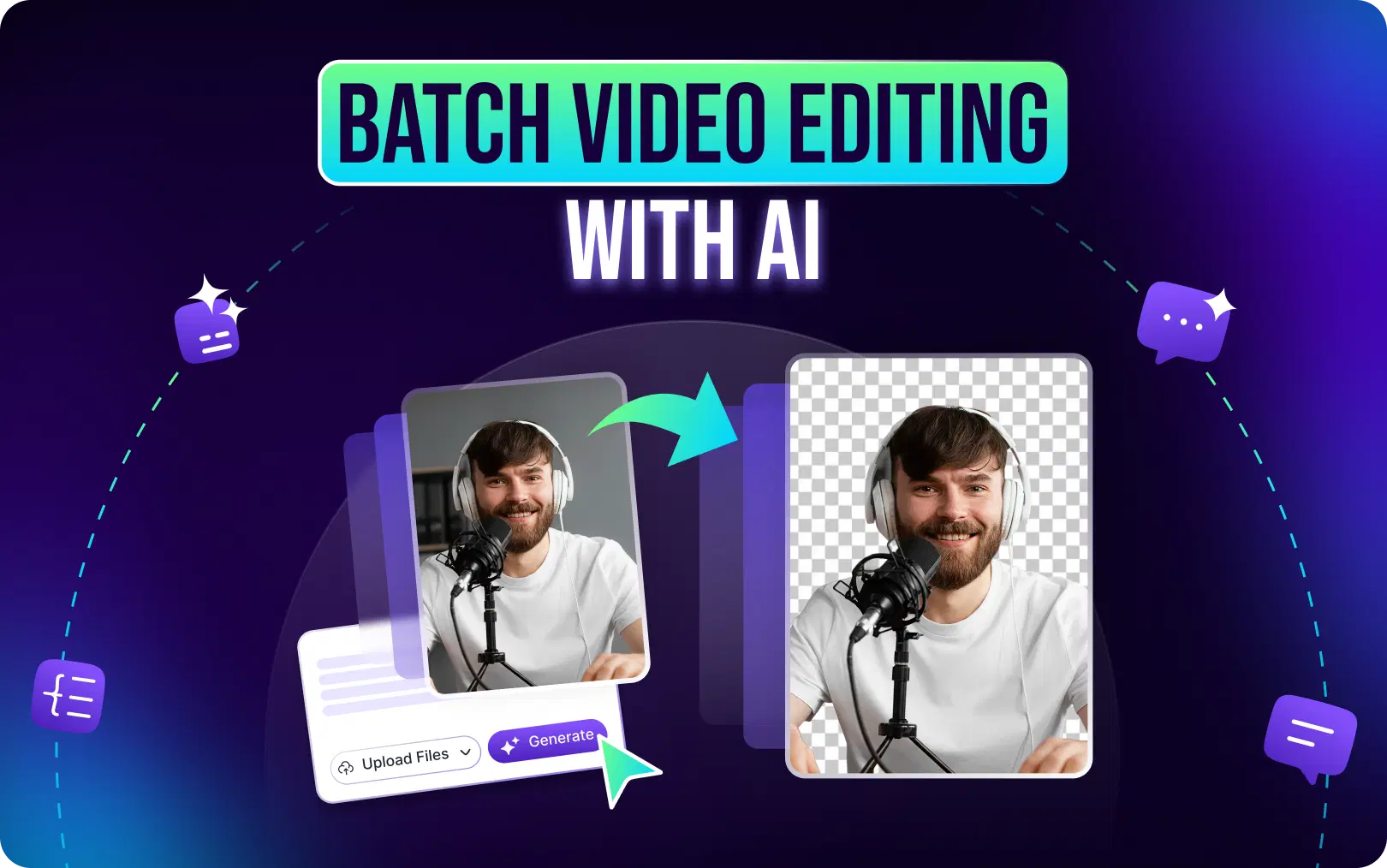
Let's start with the basics. Batch video editing with AI means using artificial intelligence to edit multiple videos simultaneously, without manually cutting, trimming, or adjusting each one.
Think of it as having a virtual editing assistant that:
- Watches your raw footage
- Identifies the best moments automatically
- Creates clips with professional pacing
- Adds captions, transitions, and music
- Resizes everything for different platforms
- Exports dozens of finished videos at once
Traditional editing requires you to handle each video individually. You import footage, scrub through timelines, make cuts, add effects, export, and repeat. For a single 60-second reel, that process can take 20-45 minutes.
Now multiply that by 10 videos. Or 50. Or 100. AI-driven editing automation changes the equation entirely.
Here's what an AI video editor actually does:
Automatic Clipping: AI analyzes your footage and identifies highlight moments, key phrases, visual cues, and emotional peaks, then uses AI clip maker to automatically create clips. No manual scrubbing required.
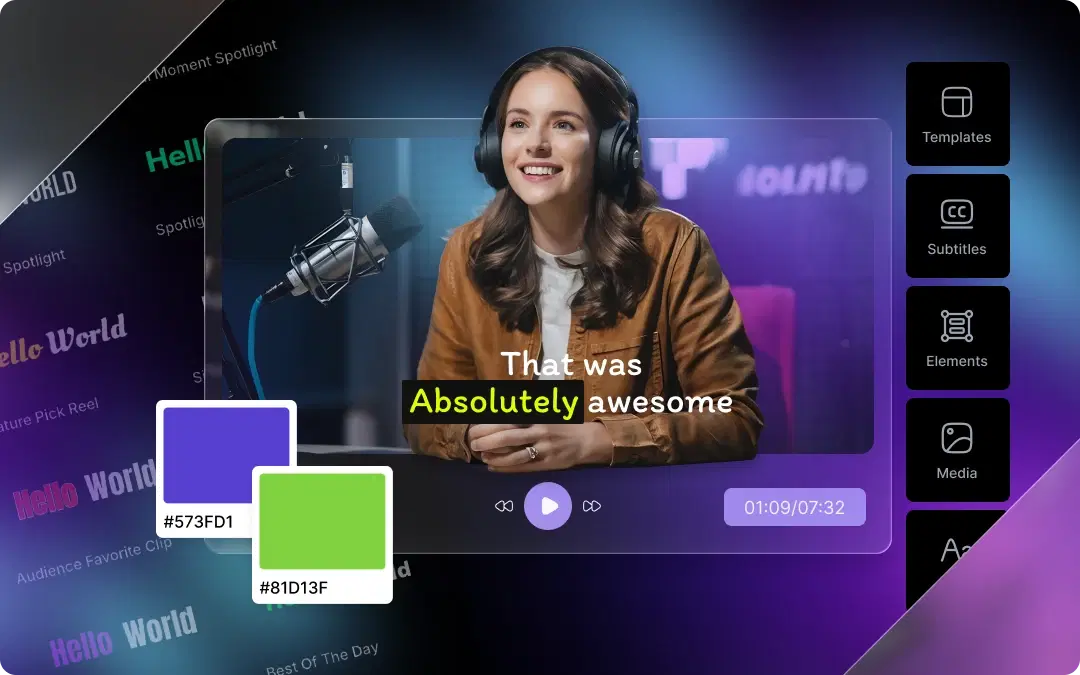
Caption Generation: Using speech recognition, AIgenerates subtitles in seconds. Some tools even style captions to match trending formats (animated word-by-word, bold highlights, etc.).
Platform-Specific Resizing: Using smart reframe, one piece of footage can automatically become:
- A 9:16 vertical reel for Instagram and TikTok
- A 16:9 horizontal video for YouTube
- A 1:1 square post for LinkedIn or Facebook
Smart Transitions: AI applies professional transitions between scenes based on pacing and content type, no manual keyframing needed.
Bulk Exporting: Finish editing 20 videos and export them all simultaneously. Your content calendar for the entire week? Done in one session.
The result is AI video editing that feels less like tedious labor and more like creative collaboration.
Also Read: AI Clip Generation: How AI Identifies Viral Moments in Your Videos
Why Creators Are Switching to AI Video Editors
The shift toward AI editing isn't hype. It's happening for practical reasons.
1. Faster Turnaround Times
Traditional editing: 30-60 minutes per short-form video. AI editing: 2-5 minutes per video (including customization). For people who post regularly, this saves 10+ hours per week.
2. Scaling Social Media Without Burnout
The algorithms favor consistency. However, producing 3-5 posts every day on your own is simply not feasible. With an AI instagram reel maker, you can mass-produce your week’s worth of content in just one afternoon.
3. Editing Automation for Non-Editors
Not everyone knows Premiere Pro or Final Cut. And frankly, not everyone wants to. AI video editors democratize content creation. If you can upload a video and click a button, you can create professional-looking reels.
4. Reduced Production Costs
Hiring a video editor costs $25−75+ per hour. For agencies managing multiple client accounts, that adds up fast.
AI editing software handles the bulk work, reducing the need for manual editing hours.
5. Consistency Across Content
AI applies the same style, caption format, and pacing across all your videos. Your brand looks cohesive even when you're producing at scale.
The numbers don't lie. According to recent industry surveys:
- 73% of marketers say short-form video has the highest ROI of any content format
- Creators posting 7+ times weekly see 2-3x higher engagement than those posting less frequently
- Video content generates 1200% more shares than text and images combined
The demand is clear. AI makes meeting that demand actually possible.
Features to Look for in an AI Video Editor
Not all AI editing tools are created equal. Here's what separates the best AI video editor platforms from the rest:
AI Clip Generator
The core feature. Look for tools that analyze your footage and automatically identify highlight moments based on:
- Speech patterns and key phrases
- Visual engagement cues
- Emotional intensity
- Scene changes
VFX AI's clip generator, for example, uses advanced algorithms to extract the most engaging segments from long-form content, making it perfect for turning podcasts or webinars into reels.
Auto Subtitles and Captions
Captions aren't optional anymore. 85% of videos are watched without sound. Instagram and TikTok algorithms prioritize content with captions.
Look for:
- Accurate speech-to-text
- Multiple caption styles
- Word-by-word animation options
- Easy text editing for corrections
Auto Reframing
Your horizontal YouTube video needs to become a vertical TikTok. Manually cropping and adjusting every frame is tedious.
Smart auto-reframing keeps the subject centered automatically, following faces and key visual elements across different aspect ratios.
Reel Templates
Templates speed up the creative process. Look for:
- Trending format templates
- Customizable text overlays
- Pre-set transition styles
- Brand kit integration (colors, fonts, logos)
AI Scene Detection
Advanced AI identifies scene changes, speaker switches, and topic transitions. This makes automated video clipping far more accurate.
Social Media Optimization
Tools that not only edit but also optimize. This includes:
- Export settings for specific platforms
- Video Length for optimal posting
- Suggested Hashtags
- Best posting time insights
Batch Exporting
Creating one video at a time defeats the purpose. True bulk video editing means exporting 10, 20, or 50 videos simultaneously.
Cloud Editing
No more waiting for renders on your laptop. Cloud-based AI editing platforms handle processing on their servers, so you can work from any device.
VFX AI includes all these features in a streamlined interface designed specifically for batch content creation. Whether you're an AI editor for influencers or managing content for multiple brands, the workflow stays simple
Also Read: Best AI Video Editor for YouTube in 2026
How to Batch Edit Videos Using VFX AI
Ready to try batch video editing with AI? Here's a step-by-step tutorial using VFX AI as an example:
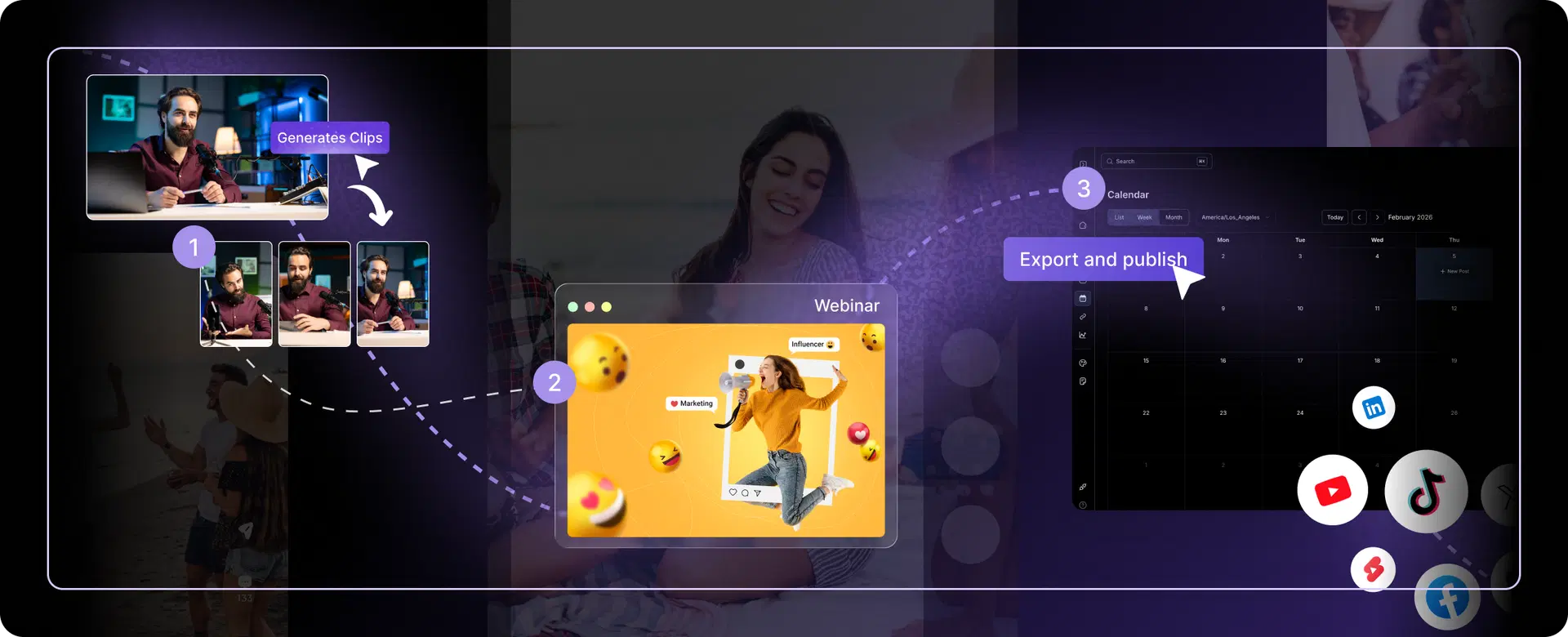
Step 1: Upload Your Footage
Start by uploading your raw video content. This could be:
- A 60-minute podcast episode
- A recorded webinar
- Raw footage from a content shoot
- Existing YouTube videos you want to repurpose
VFX AI supports most common video formats and handles files up to several hours long.
Step 2: Select Your Editing Style
Choose how you want your AI clips to look:
- Caption style: Word-by-word animation, bold highlights, simple subtitles
- Aspect ratio: Vertical (9:16), horizontal (16:9), square (1:1)
- Pacing: Fast cuts for TikTok, slower pacing for educational content
This is where you define the "look" of your batch; all videos will follow the same style for brand consistency.
Step 3: Generate Clips Automatically
Click generate and let the AI clip generator do its work. The AI reviews your video to identify:
- Highlight moments
- Important quotes/insights
- Emotional moments
- Natural ending points
Within just a few minutes, you'll have several clips to choose from.
Step 4: Customize Your Clips
The AI provides the initial content; now you can customize by:
- Changing the timing of the clip start/stop points
- Editing the text of your caption
- Replacing music clips
- Adding/removing transitions
- Using your logo/watermark
VFX AI allows full video editing online for free.
Step 5: Export Reels in Bulk
Select all the clips you want and export simultaneously. Choose platform-specific settings:
- Instagram Reels: 9:16, 1080x1920, under 40 seconds
- YouTube Shorts: 9:16, up to 60 seconds
- TikTok: 9:16, any length under 50 seconds
Total Time?
What used to take 5-8 hours (manually editing 15 podcast clips) now takes about 45 minutes, including customization and exports. That's the power of AI video editing automation.
Best Use Cases for AI Batch Video Editing
Batch video editing with AI isn't just a nice-to-have; it's a game-changer for specific content types and industries.
1. Podcast Repurposing
The Challenge: Listeners never want to listen to a 2 hour long podcast.
The Solution: Use AI video editing automation to:
- Extract 8-12 short clips (TikToks, Reels, Shorts)
- Auto-add captions and waveforms
- Create audiogram-style videos
- Add guest photos or speaker labels
- Publish across all platforms simultaneously
- Time saved: 6 hours → 20 minutes
Result: One podcast reaches 10x more people across TikTok, Instagram, YouTube, and LinkedIn.
2. Webinar & Workshop Conversion
The Challenge: You host a 90-minute webinar. It is there on YouTube, but few people watch the full video.
The Solution: Batch creating:
- 15 short educational clips (teaching moments)
- Product demonstrations (30 seconds each)
- Q&A highlights (15 seconds each)
- Key takeaway compilations
- All auto-captioned and formatted for mobile
- Time saved: 10 hours → 30 minutes
Result: Webinar content becomes 15+ social assets with higher engagement.
3. Instagram Reel Generation
The Challenge: Your brand needs 3-5 new reels weekly, but editing them manually is exhausting.
The Solution: Upload a week's worth of product demos, behind-the-scenes clips, or user-generated content. The AI reel maker generates trending-style reels automatically with:
- Trending transitions
- Current trending audio
- Optimized captions
- Hook-optimized pacing
- Time saved: 4-5 hours → 15 minutes
Result: Consistent posting schedule without editing burnout.
4. TikTok & YouTube Shorts
The Challenge: TikTok demands frequent posting (daily-ish), but creating unique short-form content is time-intensive.
The Solution: Feed video editor with long-form content and let it generate 20+ unique short-form videos with:
- Different pacing styles
- Various audio options
- Multiple caption treatments
- Different transitions
- Time saved: 8 hours → 20 minutes
Result: 20+ unique Shorts/TikToks ready to post.
5. Marketing Agency Projects
The Challenge: Agencies manage 10-20 clients. Each wants fresh video content weekly.
The Solution: Use batch editing to handle multiple clients' content simultaneously:
- Upload all client footage
- Apply client-specific branding (logos, colors, fonts)
- Generate platform-optimized videos
- Export to each client's cloud folder
- Time saved: 40 hours → 4 hours for 20 videos across 10 clients
Result: Better profit margins, faster delivery, happier clients.
6. Influencer Content Calendars
The Challenge: Influencers need consistent posting (3-5x weekly). Manual editing is a bottleneck.
The Solution: Batch edit a month's worth of content:
- Upload all filmed content for the month
- Apply influencer brand aesthetic
- Generate daily/weekly posts
- Auto-schedule to posting platform
- Maintain visual consistency
- Time saved: 15 hours → 30 minutes
Result: One month of content created, edited, and ready to go in under an hour.
Also Read: VFX AI Auto Transcribe
How to Rank Reels Created with AI
Creating content is half the battle. Getting it seen is the other half. Here's how to optimize your AI-generated reels for maximum reach:
Hook Viewers Immediately
The first 0.5-3 seconds determine whether someone keeps watching. When using an AI clip generator, prioritize clips that start with:
- A bold statement
- A question
- Visual movement
- An unexpected moment
Use Captions Strategically
Captions improve retention and accessibility. Bold keywords. Use contrasting colors. Make text readable at a glance. Most auto-caption AI tools let you customize caption styles and choose formats that match trending content in your niche.
Nail the Pacing
Short-form content moves fast. Aim for:
- Scene changes every 2-3 seconds
- No dead air or filler
- Tight editing with purpose
AI can handle initial cuts, but review pacing during customization.
Optimize for Vertical Format
9:16 isn't just a size; it's a mindset. Frame subjects in the center. Use the full vertical space.
Leverage Trending Audio
Platforms prioritize content using popular sounds. Add trending audio during the customization step before exporting.
Stay Consistent
Posting one viral reel isn't a strategy. Posting consistently for months is. AI social media video maker tools make consistency achievable. Batch-create weekly content in advance.
Find Your Posting Rhythm
Most creators see best results posting:
- Instagram Reels: 1-3x daily
- YouTube Shorts: 1-2x daily
- TikTok: 1-4x daily
AI batch editing makes these frequencies realistic. Stop spending hours on repetitive editing tasks. Start creating more content in less time.
Try VFX AI today and experience how AI-driven batch video editing can revolutionize your content strategy. Upload your first video, generate clips automatically, and see the difference for yourself.
Your audience is waiting. Your algorithm is waiting. And now, the tools to keep up are finally here.