Introduction
Imagine saving 90% of your editing time. This is not some future, but a reality. For anyone who uses an AI video editor on YouTube, this is their daily reality. This technology automates the most boring aspects of the editing process, allowing the creator to focus on what really matters: creating great content and engaging with their audience.
What Is an AI Video Editor for YouTube?
An AI YouTube video editor is software that uses artificial intelligence to automate editing tasks. Instead of manually cutting every clip, the AI analyzes your footage and makes smart decisions for you.
Think of it as having a tireless assistant who:
- Removes awkward pauses and filler words
- Adds captions automatically
- Suggests the best cuts for engagement
- Generates Shorts and reels from long videos
- Syncs the music according to your video's beat
Traditional editing requires you to make every decision. AI editing handles the repetitive work so you can focus on creativity. The difference? Hours saved every single week.
Why YouTubers Are Switching to AI Editing
Creators are adopting automatic AI video editing AI for a few simple reasons:
Speed: Reduce editing sessions from hours to minutes. Publish content more frequently and stay ahead of trends.
Automation: AI handles the repetitive tasks you hate, like cutting pauses, transcribing audio, and resizing videos for social media.
Cost Savings: A free plan for an AI video editor can provide immense value. Even paid plans are often more affordable than hiring a freelance editor.
Content Scaling: The faster you can edit, the more content you can produce. Repurpose a single long-form video into dozens of clips, Shorts, and Reels with minimal effort.
For YouTubers competing in a crowded space, AI editing software for YouTubers isn't optional anymore. It's the competitive edge that separates growing channels from stagnant ones.
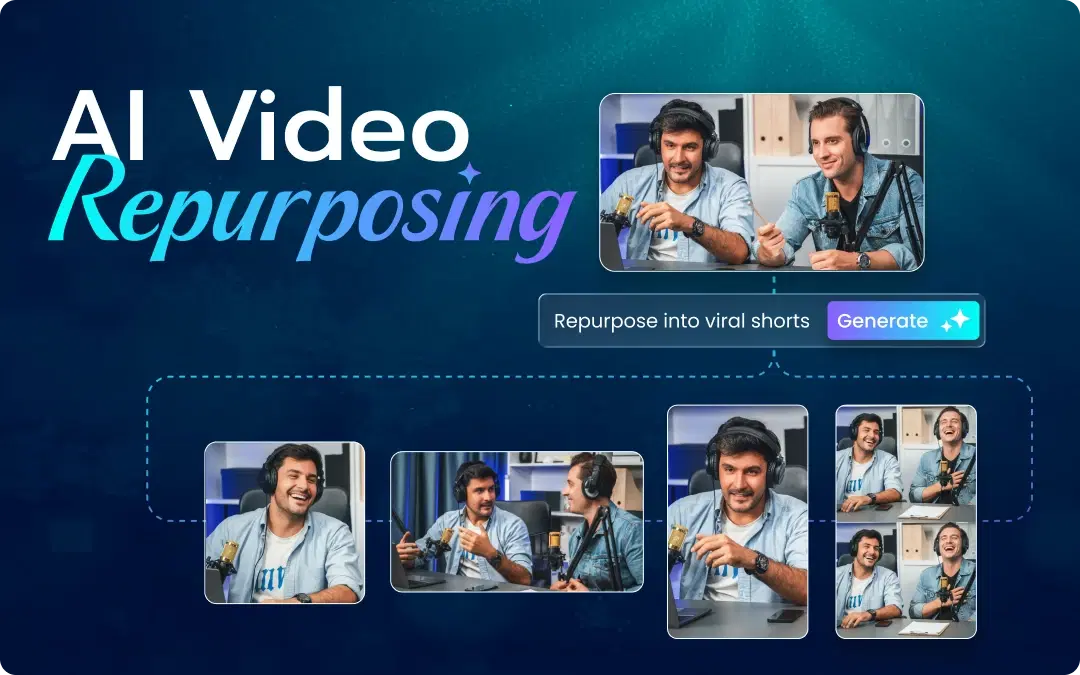
Also Read: The Ultimate Guide to Ai Video Repurposing for 2026
What Features Should a YouTube AI Video Editor Have?
Not all AI video editors are created equal. When searching for the best AI video editor, look for these essential features:
Auto-Cut & Silence Removal: The AI should automatically detect and remove dead air, pauses, and filler words like "um" and "uh."
AI-Generated Captions: Captions boost engagement by 40%. Your editor should transcribe and style them automatically.
Reel & Shorts Generation: The best tools include an AI reel maker that extracts viral moments from long videos.
Music & Audio Sync: AI should match background music to your video's pacing and mood.
Cloud-Based Editing: An AI video editor online lets you edit from any device without draining your computer's resources.
No Watermark Exports: A free AI video editor without watermark ensures your content looks professional, even on a budget.
Best AI Video Editors for YouTube in 2026
While many tools offer pieces of the puzzle, the best AI video editor for YouTube combines power, speed, and ease of use. Here's our breakdown of the top contenders for 2026.
1. VFX AI (Winner: Best Overall)
VFX AI is designed specifically for content creators who need to move fast without sacrificing quality. It combines a powerful AI video editor with a best-in-class ai reel maker.
Features: Automatic silence removal, AI-powered "Magic Cut," auto-generated captions, a built-in video reel maker, and smart background music selection.
Pros: It's an all-in-one solution that excels at both long-form and short-form content. The platform offers a generous free AI video editor without watermark, making it accessible to everyone. Being an online video editor AI, it requires no downloads.
Limitations: As a cloud-based tool, it requires a stable internet connection for uploads and exports.
2. Descript
Descript pioneered text-based video editing, where you edit your video by editing the transcript.
Features: Excellent transcription, filler word removal, and a unique "Overdub" feature to correct audio with an AI voice clone.
Pros: Intuitive for anyone comfortable with a word processor. Great for podcast and interview-style videos.
Limitations: Less focused on visual editing and may not be the fastest solution for creating dynamic, visually-driven Shorts or Reels.
3. RunwayML
Runway is a suite of AI magic tools for creatives, including robust video editing features.
Features: Text-to-video generation, background removal, and advanced color grading tools.
Pros: A powerful toolkit for creators who want to experiment with futuristic AI effects.
Limitations: Can be complex for beginners. Core editing features are not as streamlined for speed as tools like VFX AI.
4. Kapwing
Kapwing is a popular video editor online free tool with a range of AI-powered features.
Features: Smart cut, automatic subtitling, and a wide array of templates for social media content.
Pros: Very easy to use and great for quick, simple edits.
Limitations: The free version includes a watermark. Advanced features required for serious YouTubers are behind a paywall.
5. Pictory
Pictory specializes in creating videos from long-form content like blog posts and webinars.
Features: Article-to-video, automatic video highlights, and text-based editing.
Pros: Excellent for repurposing written content or long Zoom calls into summary videos.
Limitations: Not designed for editing raw, unscripted video footage. More of a content repurposing tool than a primary editor.
Why VFX AI Is the Best AI Video Editor for YouTube
Among all options, VFX AI consistently ranks as the top choice for YouTube creators in 2026. Here's why:
Truly Free Without Compromise
Most "free" tools hit you with watermarks or crippled features. VFX AI offers a free AI video editor that exports clean, professional videos, no watermark, no catch, all-in-one platform.
VFX AI combines:
- AI clip generator for viral moments
- AI reel maker for Instagram and YouTube Shorts
- Online video editor AI accessibility
You don't need five different apps. Everything lives in one place.
Speed That Matches Your Ambition
Upload your video. VFX AI processes it, removes any dead space, provides subtitles, and recommends edits, all within minutes. Work that used to take an entire afternoon is completed during your coffee break.
Built for Growth
VFX AI recognizes the needs of YouTubers looking to grow. Batch processing is available on the platform, allowing you to edit multiple videos at once. If you are ready to grow, VFX AI isn't just a solution; it's an amplifier.
Also Read: The AI Video Workflow for YouTubers: From Idea to Upload in Minutes
How to edit YouTube videos using AI?
Getting started with an AI video editor free tool like VFX AI is incredibly simple. The automatic video editing AI handles the complex work.
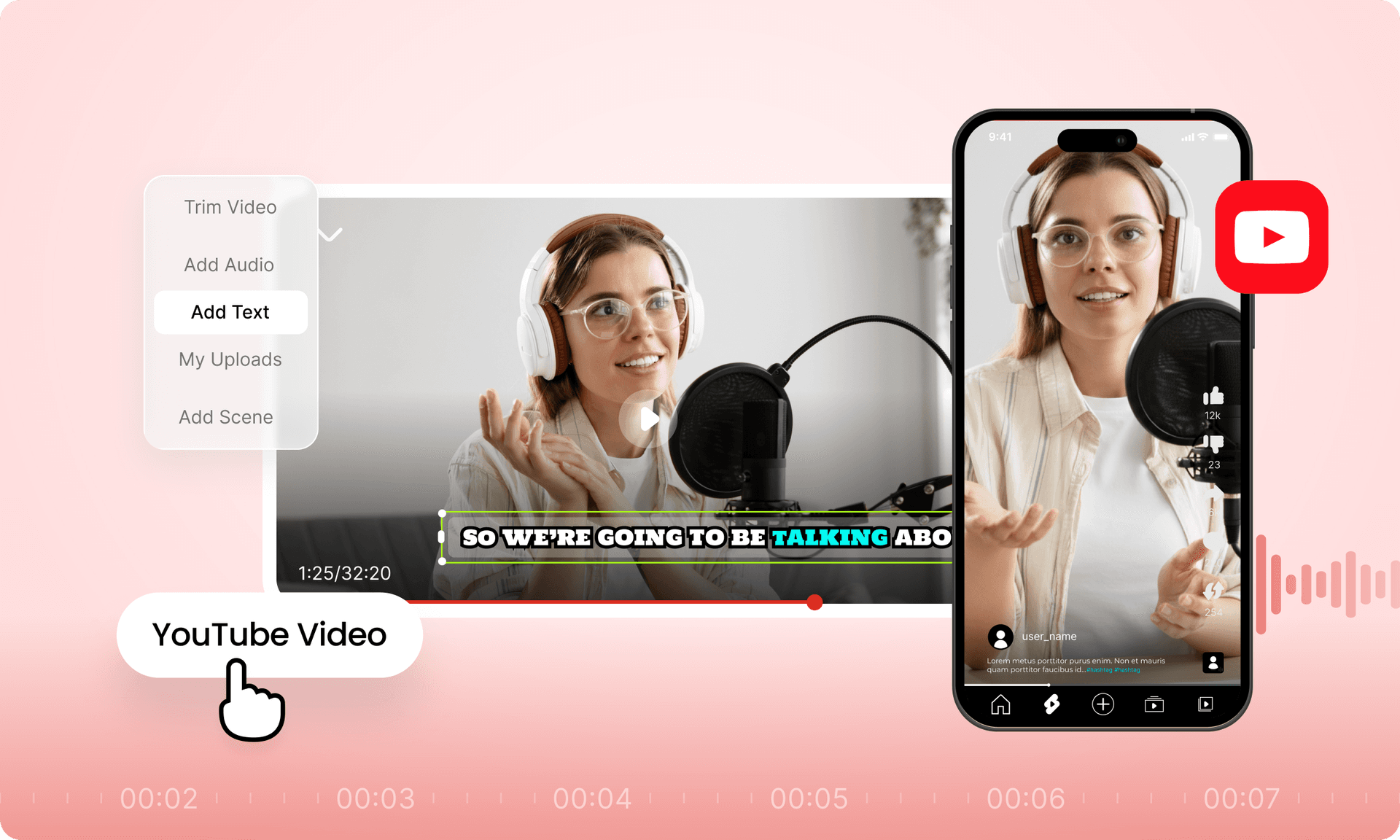
Upload Your Footage: Simply drag and drop your raw video files into the VFX AI web browser.
Let the AI Auto-Edit: VFX AI analyzes your video, automatically cutting out silences and bad takes. It also generates a full transcript. You can make fine-tune adjustments simply by deleting text from the transcript.
Add Final Touches: Add AI-generated captions with one click. Choose from a library of royalty-free music that the AI syncs to your video's pacing.
Export & Share: Export your full video for YouTube and use the built-in reel video maker to export clips for your other social channels.
How Do AI Reel Makers Work?
Short-form content rules social media. But creating Shorts and reels from long videos manually is tedious.
An AI reel maker solves this by:
- Scanning your long video for high-engagement moments
- Hook detection, reaction analysis, and quotation extraction
- Automatic clipping formatting for vertical content
- Adding trending captions and effects
Whether you need a free reel maker for Instagram or a video reel maker for YouTube Shorts, AI handles the heavy lifting.
VFX AI's best reel maker feature lets you turn a single long video into 5–10 reels with one click. That's a week of content from one recording session.
Also Read: AI Clip Generation: How AI Identifies Viral Moments in Your Videos
Can AI Replace Video Editors for YouTube?
This is the big question. Here's the honest answer:
AI won't replace editors entirely but it will replace tedious work.
| Aspect | AI Editing | Traditional Editing |
|---|---|---|
| Speed | Done in minutes, saving time | Takes hours for just a 30-second video |
| Cost | Most of the AI editing tools charge very minimal or are free, depending on the requirement | A 30-second video might cost upto $30 to $40 per hour |
| Control | Most of the task is done by the AI editor itself | There is complete human control in traditional editing |
| Creativity | AI does the heavy task, leaving creativity in the human hands | Editors need to edit the whole video and then insert their own creativity as well |
The future is hybrid. Use AI for:
- Rough cuts
- Captions
- Silence removal
- Clip generation
Use manual editing for:
- Complex storytelling
- Precise color grading
- Custom effects
Smart creators leverage both. They let AI handle 80% of the work, then add human polish for the final 20%.
Pro Tips for YouTubers Using AI Editors
Batch Your Content: Film multiple videos at once. With an AI editor, you can process them all in a fraction of the time, creating a consistent content pipeline.
Focus on the Hook: Let the AI handle the cuts and captions, so you can spend more time scripting a compelling first 15 seconds.
Repurpose Everything: This is where AI shines. One 20-minute video can become your main YouTube upload, plus 10-15 Shorts, Reels, and TikToks. The most efficient creators generate viral clips using AI by leveraging powerful AI clip generator tools that find the best moments for them.
Optimize for Retention: Use the AI's transcript to analyze where viewers might drop off. Are you rambling? Is there a long pause the AI missed? Tighten these sections to keep your audience watching.
Conclusion
The creators winning on YouTube in 2026 aren't just talented. They're efficient. They've discovered that an AI video editor for YouTube is the ultimate growth hack.
No more endless editing sessions. No more expensive editors. No more choosing between quality and quantity.
With tools like VFX AI, you get:
- A free AI video editor without watermark
- Built-in AI reel maker for Shorts and reels
- AI clip generator integration
- Cloud-based video editor online free access
The future of YouTube belongs to creators who edit smarter, not harder.
Ready to transform your workflow? Try VFX AI today and experience what thousands of YouTubers already know: AI editing isn't just faster, it's better.