Introduction
This is the faceless YouTube revolution, and AI is the engine driving it. In this guide, you'll learn exactly how to start a faceless YouTube channel using AI, from choosing a niche to publishing optimized videos, and which tools will help you scale faster than you ever thought possible.
What Is a Faceless YouTube Channel?
A faceless YouTube channel is a channel where the creator never appears on screen. Instead of talking-head videos, content is built around voiceovers, instant B-rolls, AI-generated visuals, screen recordings, animations, or a combination of all of the above.
Benefits of Going Faceless
- Total privacy: your identity stays protected
- Location independence: create from anywhere
- Scalability: AI tools make it easy to produce content at volume
- Lower barrier to entry: no camera, no studio, no awkward filming
- Easier outsourcing: you can delegate most of the workflow
Popular Faceless YouTube Niches
Some niches are especially well-suited for faceless, AI-powered content creation:
- Finance: budgeting, investing, passive income
- Tech: software reviews, AI news, gadget breakdowns
- Motivation & self-improvement
- History & facts: interesting stories, top 10 lists
- Business: entrepreneurship, side hustles, case studies
- AI news: one of the fastest-growing niches in 2026
- Celebrity & pop culture news
- Education: language learning, science, psychology
Many of these niches generate high CPMs (cost per thousand impressions), meaning even modest view counts can translate into meaningful ad revenue.
Also Read: Best AI Video Editor for YouTube in 2026
Why AI Has Changed Faceless YouTube Channels Forever
A few years ago, running a faceless YouTube channel still required a team: writers, voice actors, editors. Today, one person with the right AI content workflow can do it all.
Here's what AI now handles end-to-end:
- Script writing: generate full video scripts from a prompt in seconds
- Voiceovers: ultra-realistic AI voices that sound the same as humans
- Video editing: automatic cuts, transitions, captions, and highlight detection
- Thumbnail creation: AI-designed visuals optimized for click-through rate
- Clip generation: automatically extract the best moments from long videos
- Reel and Shorts creation: one-click short-form video automation
- Content repurposing: convert a single long video into multiple pieces of content
The productivity gains are amazing. What used to take a team of three people and 20 hours per week can now be done by one person in a fraction of the time. That's the power of AI-powered YouTube automation.
Step 1: Choose a Profitable Faceless YouTube Niche
Before you create a single piece of content, choose a niche that's both AI-friendly and monetization-ready.
| Niche | Competition | Monetization Potential | AI-Friendly Score |
|---|---|---|---|
| Finance & Investing | High | Very High | ⭐⭐⭐⭐⭐ |
| AI & Tech News | Medium | High | ⭐⭐⭐⭐⭐ |
| Business & Entrepreneurship | Medium | High | ⭐⭐⭐⭐⭐ |
| Motivation & Self-Help | High | Medium | ⭐⭐⭐⭐ |
| History & Facts | Medium | Medium | ⭐⭐⭐⭐⭐ |
| Education | Low–Medium | Medium–High | ⭐⭐⭐⭐⭐ |
| Celebrity & Pop Culture | High | Medium | ⭐⭐⭐ |
| Health & Wellness | Medium | High | ⭐⭐⭐⭐ |
Pro tip: The best niches for YouTube automation in 2026 are ones where the content is evergreen or consistently trending, like finance, AI news, and education.
Step 2: Use AI to Research Video Ideas
Great content starts with great ideas. Fortunately, AI makes research faster than ever.
Tools to use:
- ChatGPT or Claude: brainstorm video ideas, titles, and angles
- Google Trend: validate what topics are surging right now
- YouTube Search: look at suggestions for your niche
Sample research prompt for ChatGPT or Claude:
"Give me 20 YouTube video ideas for a faceless channel in the personal finance niche. Focus on topics that get high search volume, have low competition, and are easy to cover without showing my face."
From there, narrow your list based on search volume, competition, and the ease of sourcing visuals and voiceover content.
Step 3: Generate Scripts Using AI
Your script is the backbone of every video. With AI script writers, you can generate a full 800 to 1,500-word script in under two minutes.
Here's a proven script structure that maximizes retention:
- Hook (0-15 seconds): Open with a bold claim, surprising statistic, or compelling question. This is the most critical part of your video.
- Setup (15-45 seconds): Tell viewers exactly what they'll learn and why it matters.
- Body (bulk of the video): Break the content into 3 to 5 clear sections with storytelling, examples, and data.
- Retention loops: Use phrases like "but here's where it gets interesting…" to keep viewers watching.
- Call to action: Direct viewers to like, subscribe, or visit a link.
Example AI prompt for script generation:
"Write a YouTube script about the top 5 passive income ideas for 2026. Use a conversational tone. Start with a hook about how most people are leaving money on the table. Keep sentences short. Format it with timestamps every 60 seconds."
AI tools like ChatGPT and Claude can generate scripts that are already optimized for retention; you just need to review and refine them.
Also Read: How to Repurpose Podcasts Into Viral Clips Using AI
Step 4: Create AI Voiceovers
Once your script is ready, you need a voice. In 2026, AI voice generators have reached a level of realism that makes them practically indistinguishable from professional voice actors.
Top AI voice tools:
- ElevenLabs: industry leader for natural-sounding AI voices with emotional range
- Murf AI: great for professional-sounding narration
Realistic voices aren't just a nice-to-have; they directly impact viewer retention. Robotic or monotone AI voices cause early drop-offs. Choose a voice with natural pacing and warmth to keep your audience engaged.
Many creators use ElevenLabs to clone a consistent voice across all their videos, creating a recognizable audio identity for their channel without ever recording themselves.
Step 5: Generate Visuals and Clips
Your visuals are what transform a voiceover into a watchable video. Here are your main options:
- Stock footage: Platforms like Pexels, Pixabay, and Storyblocks offer royalty-free footage you can use commercially.
- AI-generated images: Tools like Midjourney and DALL-E 3 let you create custom visuals that don't exist anywhere else. Perfect for history channels, educational content, or anything requiring unique imagery.
- AI-generated B-roll: Several AI video tools can now generate short video clips from text prompts, ideal for covering abstract topics like finance or technology.
- Screen recordings: For software tutorials or news-style content, a simple screen recording paired with your AI voiceover is often all you need.
The goal is to match your visuals tightly to your script so that viewers are always looking at something relevant. This is one of the biggest drivers of watch time.
Step 6: Edit Videos Using VFX AI
This is where most beginners get stuck and often get lost. Traditional video editing is slow, technical, and unforgiving. But with an AI video editor like VFX AI, the entire editing workflow is transformed.
VFX AI is purpose-built for creators who want to move fast. Here's what it does for your faceless YouTube channel:
- AI video editing: cuts, pacing, and transitions based on your content
- Automatic clipping: the AI detects your best moments and extracts them instantly
- AI clip generation: turn raw footage into polished, ready-to-publish clips
- Reel creation: create Instagram Reels, YouTube Shorts, and TikTok videos in one click
- Content repurposing: convert a 20-minute video into multiple short clips automatically
- Captions and subtitles: auto-generated captions that boost accessibility and engagement
- No advanced editing skills required: the interface is designed for beginners and pros alike
Instead of spending hours in a timeline scrubbing through footage, VFX AI handles the heavy lifting so you can focus on strategy and content quality.
Try VFX AI to transform long-form content into engaging YouTube Shorts, Instagram Reels, and viral clips in minutes.
Speed: What used to take hours of editing now takes minutes. Upload your footage, let the AI analyze and cut it, and export a finished video, all without touching a timeline.
Simplicity: VFX AI is designed to be accessible to creators at every level. You don't need to know what a J-cut is or how to color grade footage to produce professional-quality content.
Automation: The AI clip generator and automatic short-form video creation mean you can batch-produce content without repetitive manual work. Publish more, faster.
Scalability: As your channel grows, VFX AI grows with you. Whether you're producing 2 videos a week or 20, the workflow stays manageable.
Beginner Friendly: For creators just starting a faceless YouTube channel, VFX AI removes the hardest part of the learning curve: editing, so you can focus on what actually matters: finding your audience and building your niche.
Try VFX AI to transform long-form content into engaging YouTube Shorts, Instagram Reels, and viral clips in minutes.
Step 7: Create Shorts and Reels Automatically
Short-form video is one of the most powerful growth tools available to YouTube creators in 2026. YouTube Shorts regularly go viral and can funnel thousands of new subscribers to your main channel overnight.
Here's the strategy most successful faceless channels use:
- Publish a long-form video (10 to 20 minutes) optimized for SEO
- Use VFX AI to auto-generate Shorts from the best moments in that video
- Repurpose those clips as Instagram Reels and TikToks for cross-platform growth
- Drive short-form viewers back to your long-form content with strategic CTAs
Instead of producing short-form and long-form content separately, you produce once and distribute everywhere using social media clip generation to automate the entire process.
VFX AI's AI shorts maker and reel creator handle this repurposing workflow automatically. It identifies the most engaging segments in your long video, reformats them for vertical viewing, adds captions, and exports them ready to publish across every platform.
Step 8: Publish and Optimize for YouTube SEO
Publishing great content is only half the battle. You also need YouTube SEO to get your videos discovered.
Title Optimization: Include your primary keyword early in the title. Example:
❌ "Passive Income Tips for 2026"
✅ "5 Passive Income Ideas That Actually Work in 2026 (No Experience Needed)"
Description: Write at least 200 to 300 words. Include your primary and secondary keywords naturally. Add timestamps, links to related videos, and a CTA to subscribe.
Tags: Use 5 to 10 relevant tags that include variations of your primary keyword. Don't stuff tags, relevance matters more than volume.
Thumbnails: Your thumbnail drives CTR (click-through rate), which is one of YouTube's strongest ranking signals. Use bold text, high contrast, and a clear visual focus. Tools like Canva make thumbnail creation fast and free.
Watch Time Strategy: YouTube's algorithm rewards videos that keep people watching. Front-load your best content, use pattern interrupts every 60 to 90 seconds, and always tease upcoming content to maintain curiosity.
Also Read: Best Free AI Tools to Edit Videos Automatically in 2026
Best AI Tools for Running a Faceless YouTube Channel
| Tool | Best For | Standout Feature |
|---|---|---|
| VFX AI | Video editing, clip generation, Reels, Shorts | End-to-end AI video workflow |
| ChatGPT | Script writing, ideation, SEO research | Versatile content generation |
| Claude | Long-form scripts, research | Nuanced, high-quality writing |
| ElevenLabs | AI voiceovers | Most realistic AI voices available |
| Canva | Thumbnails, graphics | Drag-and-drop design |
For most creators just starting out, VFX AI + ChatGPT + ElevenLabs is the core stack: affordable, powerful, and capable of handling the full production pipeline.
Can You Monetize a Faceless AI YouTube Channel?
Yes, and many creators already are. Here are the main revenue streams:
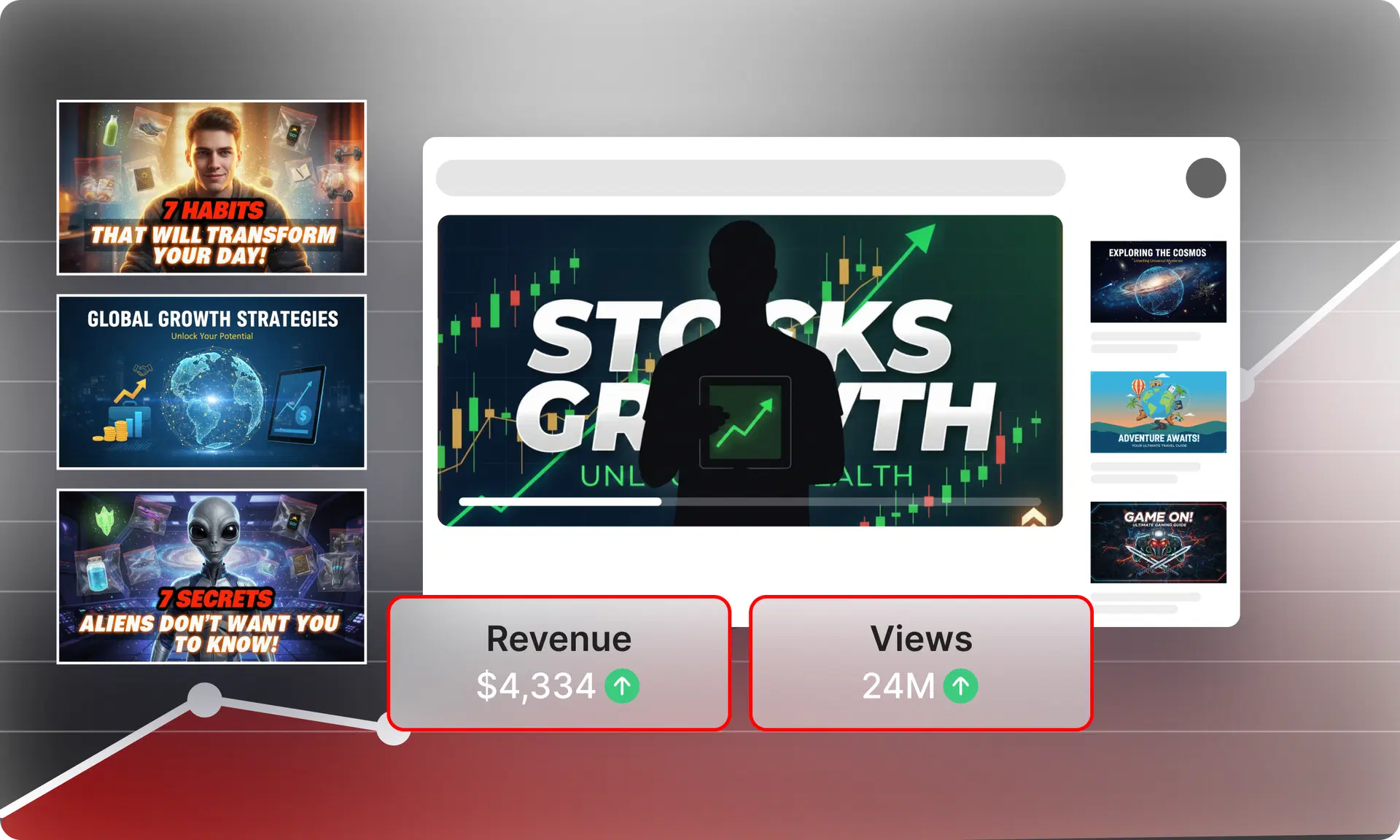
- YouTube AdSense: Once you hit 1,000 subscribers and 4,000 watch hours (or 10 million Shorts views), you can join the YouTube Partner Program and earn from ads. Finance and business channels routinely earn $10–$50+ CPM.
- Sponsorships: Brands pay well for sponsored mentions, especially in the finance, tech, and business niches. A channel with 10,000 engaged subscribers can often land its first sponsor deal.
- Digital Products: Sell templates, courses, ebooks, or memberships directly to your audience. This is the highest-margin revenue stream and isn't dependent on platform algorithm changes.
Does YouTube Allow AI-Generated Videos?
Yes, YouTube's current policy (as of 2026) allows AI-generated content, but requires creators to disclose when content is "realistic-looking" AI-generated material, particularly for news, politics, or medical content. Always check YouTube's latest creator guidelines, as policies continue to evolve.
The key rule: don't use AI to spam the platform with low-quality content. Channels that prioritize genuine value and viewer experience won't have issues.
Building a faceless YouTube channel in 2026 has never been more achievable. With AI handling the heavy lifting, scripts, voiceovers, visuals, editing, and short-form repurposing, the barrier to entry has collapsed.
- Choose a monetizable niche with strong AI-friendly content potential
- Build a repeatable AI content workflow that covers research, scripting, voiceover, and editing
- Use an AI video editor like VFX AI to speed up editing and automate short-form content creation
- Publish consistently and optimize every video for YouTube SEO
- Repurpose every long-form video into Shorts, Reels, and clips to maximize reach
Whether you're a student, solopreneur, or side hustler looking to build an income stream without ever showing your face, the technology is ready. The only thing left is to start.