Introduction
The old bottlenecks haven't gone away: big media files, scattered feedback, endless export settings, but the deadlines around them have gotten tighter. That's the gap AI video editing is stepping into. Not as a replacement for editors, but as a way to strip the repetitive work out of the pipeline so media production teams can spend their time on the parts of the job that actually require a human eye.
This piece walks through where traditional workflows lose time, how AI changes each stage of production, and what to look for if your team is evaluating a shift, including where a platform like VFX AI fits into that picture.
What Are Media Production Teams?
Media production teams cover a wide range of setups, but the core job is the same: turn raw footage into finished video that's ready for an audience, on a deadline, with more than one person weighing in along the way.
Depending on the organization, that can look like:
- Creative and marketing agencies producing client campaigns across multiple brands and platforms at once
- Sports broadcasters and teams turning around highlight packages and clips during or right after live play
- Podcast networks repurposing long-form audio and video into dozens of short clips per episode
- News and broadcast teams working under same-day or same-hour publishing windows
- Corporate media and internal comms departments producing training, product, and executive content
- Educational content teams building course videos and explainer content at scale
- YouTube production teams and creator studios managing recurring upload schedules
The roles inside these teams usually include editors, producers, motion designers, reviewers or approvers, and someone responsible for publishing and distribution. What ties them together is a shared workflow: ingest footage, edit, get sign-off from stakeholders, adapt for different platforms, and publish; then do it again next week, often with less lead time than the week before.
Also Read: The 30-Day Content Calendar: How to Publish Clips Daily Using AI
How AI Changes Modern Video Production
It's worth being direct about this: AI doesn't replace video editors. It handles the repetitive, time-consuming groundwork so editors can spend more of their day on story, pacing, and polish the parts of editing that actually need a person.
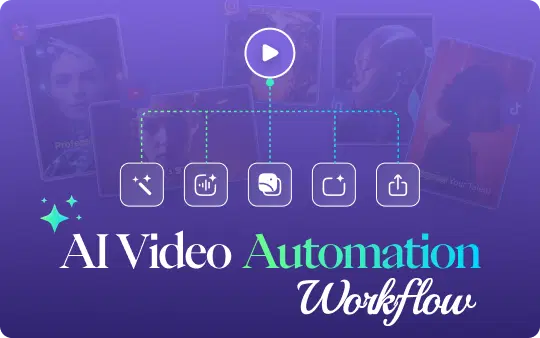
Here's what that looks like in practice across a typical AI video workflow:
- AI editing and smart clipping automatically identifying usable segments from long raw footage
- Scene detection breaking footage into logical segments without manual scrubbing
- Silence and filler-word removal tightening interviews and talking-head footage automatically
- AI captions generating accurate captions without manual transcription
- Smart reframing converting horizontal footage into vertical or square formats while keeping the subject in frame
- Highlight detection surfacing the strongest moments in long footage, particularly useful for sports and event content
- AI-powered search across footage finding a specific shot or line of dialogue by searching text instead of scrubbing a timeline
- Voice cleanup reducing background noise and normalizing audio levels
- Faster exports rendering multiple platform-ready versions in parallel
Individually, each of these saves minutes. Stacked across a full production pipeline, they save hours per project, which is what makes it possible to generate publish-ready clips in under an hour instead of a full day.
Edit Faster with AI
The rough cut is usually where the most time disappears, and it's also where AI video editing tools have the biggest impact.
Instead of scrubbing through raw footage manually, an editor can start from an AI-assisted timeline that's already grouped by scene, flagged for usable takes, and stripped of dead air. From there, prompt-based editing lets an editor describe what they want, cut this down to the best 90 seconds, or pull every mention of the product name and get a working starting point instead of a blank timeline.
Consider a marketing team wrapping a two-hour product shoot. Historically, an editor might spend the better part of a day just logging footage before the real edit begins. With automatic clip generation, that same team can have a rough cut and a set of social media clips ready for review the same afternoon, leaving the rest of the day for actual creative refinement instead of setup work.
This is also where teams start to see AI content production pay off in volume, not just speed. One long-form asset can become a dozen short clips for different platforms without a dozen separate manual edits.
Also Read: The Ultimate Guide to AI Video Repurposing for 2026
Smarter Review & Collaboration
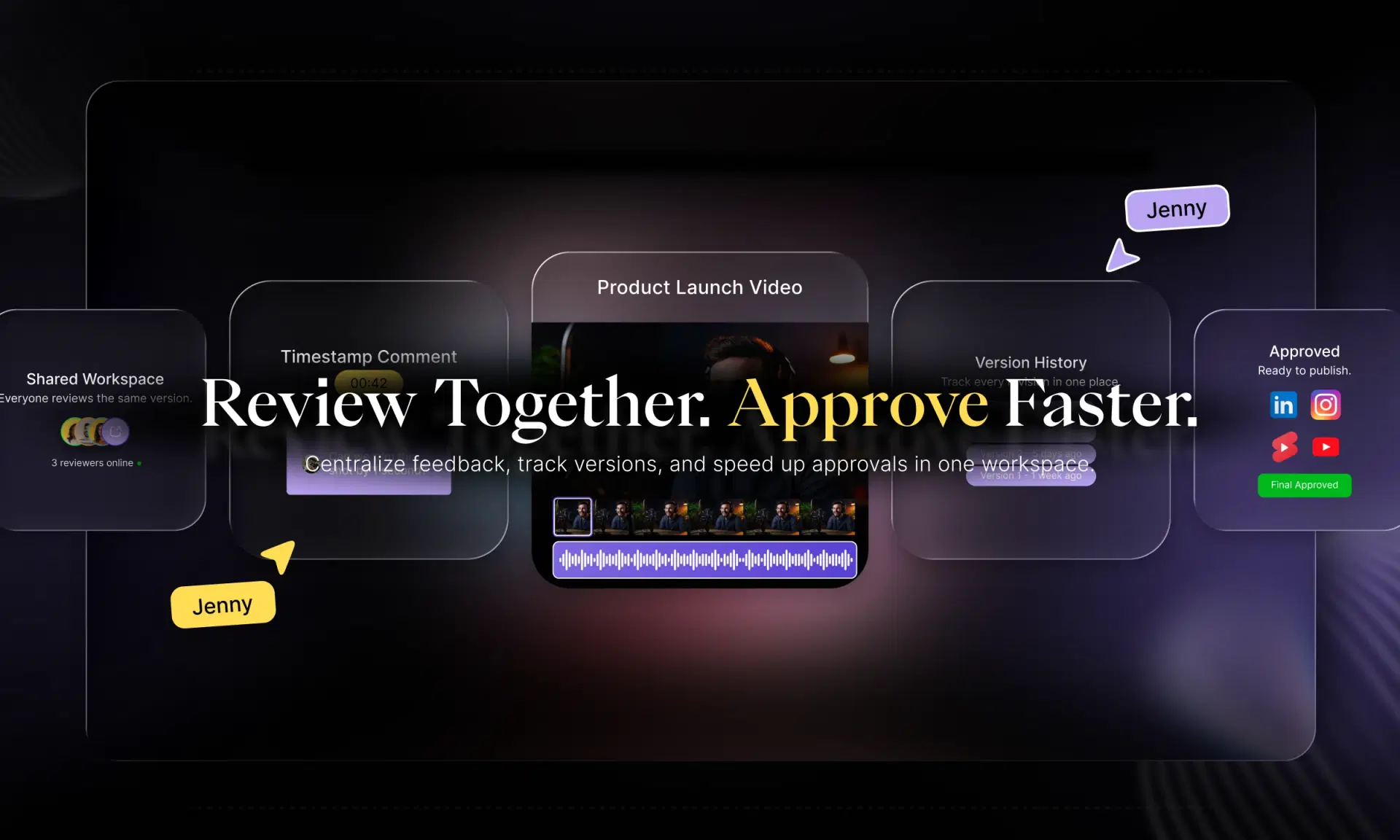
Editing faster doesn't help much if the review cycle afterward eats the time savings right back up. This is where video collaboration software matters as much as the editing tools themselves. Modern review workflows typically include:
- Shared cloud workspaces so every stakeholder is looking at the same version, not a file passed around over email
- Timestamp-specific comments so feedback like “trim this at 0:42” attaches directly to the moment it applies to
- Version control that keeps a clear history of what changed and when, instead of a folder full of similarly named files
- Remote approval workflows so stakeholders in different locations or time zones can sign off without a scheduled call
For team video editing specifically, this matters because production rarely involves just one person. An agency might have an editor, a creative director, and a client all needing to weigh in on the same cut. Centralizing that review process in one place, rather than across email threads and messaging apps, is often the single biggest time saver in the whole pipeline, even before AI editing enters the picture.
Publish Everywhere Faster
Finishing the edit used to mean the work was basically done. Now it usually means the real distribution work is just starting.
Multi-platform video publishing means the same piece of content typically needs several different exports:
| Platform | Typical Format | Common Use |
|---|---|---|
| YouTube | 16:9 horizontal | Long-form and standard video |
| TikTok / Reels / Shorts | 9:16 vertical | Short-form, mobile-first |
| Instagram Feed | 1:1 square | Feed posts, carousels |
| 16:9 or 1:1 | Corporate and B2B content |
Doing this manually means re-editing and re-exporting the same content multiple times, adjusting framing for each aspect ratio, and manually scheduling releases across platforms. AI-assisted reframing and export tools handle the repetitive parts of this, generating platform-specific versions from a single edit while scheduling tools handle the release timing.
For teams publishing daily or weekly across four or five platforms, this is often where AI video automation has the most visible payoff, simply because the manual version of this work scales linearly with headcount, and the AI-assisted version doesn't.
Enterprise-Grade Security for Production Teams
For enterprises, broadcasters, and agencies handling client or embargoed content, secure video editing isn't optional. Any platform handling production assets should offer clear safeguards, including:
- Secure cloud storage for raw and edited footage
- Role-based permissions so contributors only access what's relevant to them
- User roles and access controls across teams and projects
- Data protection practices aligned with enterprise compliance expectations
If your team is evaluating an AI video editor for agency or enterprise use, it's worth asking any vendor directly about their specific security certifications, data retention policies, and access control options; these vary by provider, and the details matter more than the marketing copy around them.
Switching from Traditional Editors Without Losing Your Workflow
Teams weighing a move away from Premiere Pro, Final Cut Pro, or DaVinci Resolve toward an AI-assisted platform usually have the same set of concerns, and they're reasonable ones.
Learning curve. Most AI video editors are designed to be approachable for teams already comfortable with timeline-based editing, so the fundamentals carry over even if specific tools are new.
Existing projects. Before switching platforms, confirm what import options exist for footage, project files, and existing edits, so past work isn't stranded on the old system.
Collaboration continuity. If your team already has an established review process, look for a platform that can fit into it rather than forcing a full process rebuild on day one.
Asset migration. Moving a media library takes planning. Start with new projects on the new platform while existing work finishes out on the old one, rather than migrating everything at once.
Team adoption. The switch works best when it's introduced gradually, one project or one team first, so editors can build confidence before it becomes the default workflow.
None of this needs to happen overnight. Most production teams that make this switch successfully run both workflows in parallel for a stretch before fully committing.
Why VFX AI Fits Modern Production Teams
VFX AI is built around the specific pain points covered above: slow rough cuts, scattered review cycles, and the manual work of adapting one edit for five different platforms.
The platform brings AI-assisted editing, automatic clipping, and captioning together with review and collaboration tools in one cloud-based workspace, so teams aren't stitching together separate tools for editing, feedback, and publishing. Prompt-based editing helps generate a working rough cut quickly, while multi-platform export tools handle the reframing work that used to require a separate pass for every aspect ratio.
For teams comparing affordable AI video editing options, particularly smaller production companies and agencies that don't have a large in-house editing bench, the appeal is being able to produce at a higher volume without proportionally growing headcount. For larger broadcasters and enterprises, the same underlying tools apply to bigger footage volumes and more complex approval chains, backed by the security and permissioning that enterprise video editing work requires.
The goal isn't to replace editorial judgment. It's to remove the setup and busy work that stands between raw footage and a finished, published video, so the people on your team can spend more of their time on the creative decisions that actually need them.
Also Check: AI Long Form to Shorts
Best Practices for AI-Assisted Production Teams
A few habits make the shift to AI-assisted workflows go more smoothly:
- Standardize file naming and folder structure before footage even reaches the editing platform, so AI tools and human editors are both working from organized source material.
- Build a review checklist so stakeholder feedback is specific and timestamped rather than vague notes passed around after the fact.
- Use AI-generated rough cuts as a starting point, not a final product; the value is in the time saved on setup, not in skipping the creative pass entirely.
- Establish platform-specific export presets up front so reformatting for TikTok, YouTube, and LinkedIn doesn't require manual guesswork on every project.
- Keep a single source of truth for the current cut to avoid the version confusion that traditional workflows are prone to.
The Future of AI in Media Production
The direction is fairly clear: AI is moving from a set of individual editing shortcuts toward something closer to a full production copilot: helping plan, edit, review, and adapt content across an entire pipeline rather than a single step in it.
Expect to see more automated first-pass editing, predictive suggestions based on a team's past projects, and real-time collaborative editing that lets multiple contributors work on the same cut simultaneously rather than in sequence. Personalized content variants, different cuts of the same source material tailored to different audiences or platforms, are likely to become more automated as well, alongside more intelligent production pipelines that route footage through editing, review, and publishing with less manual handoff at each stage.
None of that replaces the editorial and creative decisions that define good video content. It just continues shrinking the distance between raw footage and a finished, published piece.
Media production teams aren't short on ambition or creative talent: they're short on time, and most of that time loss happens in the repetitive parts of the pipeline: logging footage, waiting on reviews, and reformatting the same edit for five different platforms.
AI video editing addresses that gap directly, handling scene detection, captioning, reframing, and rough-cut assembly so editors can focus on the creative decisions that actually require their judgment. Combined with better review and collaboration tools, and export workflows built for multi-platform publishing, it's possible for media production teams, from small agencies to enterprise broadcasters, to move from raw footage to published content significantly faster than a traditional pipeline allows.
If your team is evaluating what that could look like in practice, VFX AI is built around exactly this workflow: AI-assisted editing, review, and multi-platform publishing in one place. Starting a free trial or requesting a demo is generally the fastest way to see how it fits your team's existing process.