Introduction
AI video reframing collapses that entire process into a few clicks. Upload once, and the software intelligently detects what matters in the frame, follows it as it moves, and outputs perfectly composed clips in every aspect ratio you need. This guide breaks down exactly how it works, why it has become essential in 2026, and how to build a repeatable workflow that turns a single recording into a full week of platform-ready content.
What Is AI Video Reframing?
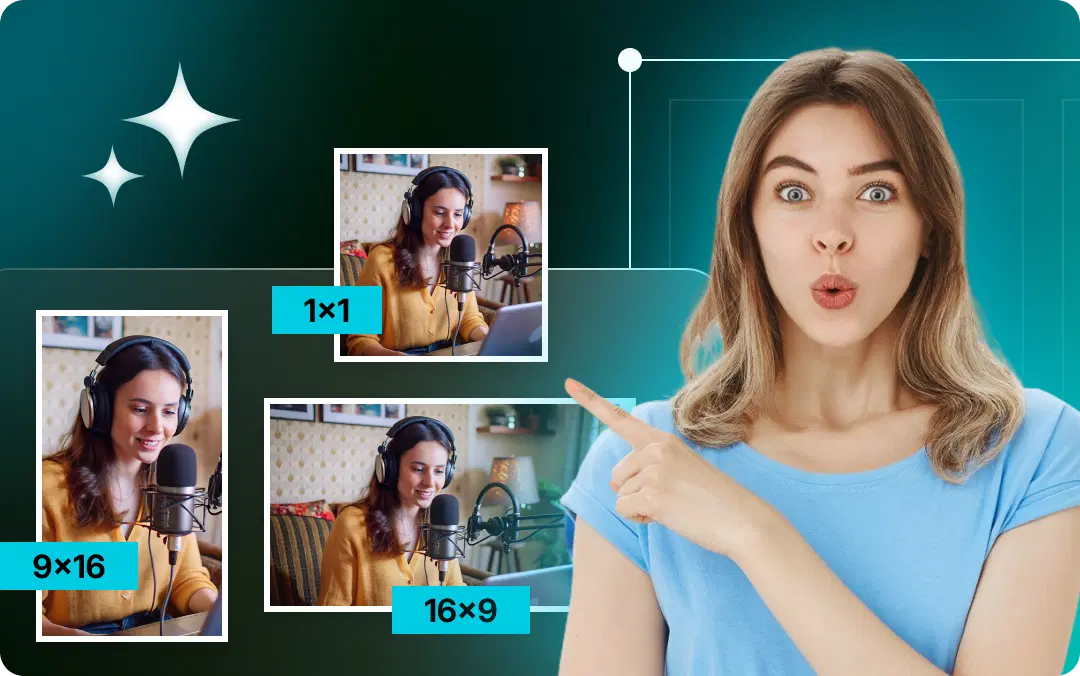
AI video reframing is the automated process of changing a video's aspect ratio, most commonly from horizontal 16:9 to vertical 9:16, while keeping the most important part of the frame centered and in view. Instead of you manually cropping and repositioning the frame, computer vision analyzes each shot, identifies the primary subject (a face, a speaker, a product, a moving object), and recomposes the frame automatically so nothing important gets cut off.
The keyword is intelligent. A dumb crop just chops the sides off a video and hopes for the best. AI reframing understands the content. If a speaker walks from the left side of the frame to the right, the reframed vertical output pans smoothly to follow them. If two people are talking, it can cut between them. The result looks like it was shot vertically in the first place, even though it wasn't.
This capability sits at the heart of modern tools like VFX AI, where AI Video Reframing and AI Auto Crop work together to turn wide-format source footage into clips that feel native to Reels, TikTok, and Shorts.
Why This Matters in 2026
The numbers make the case on their own. Short-form video views grew 36% year over year in 2025, and TikTok, Instagram Reels, and YouTube Shorts now collectively generate more than 120 billion views a day, according to social media data compiled in early 2026. Short-form video is ranked the number-one ROI-driving content format by 49% of marketers in HubSpot's State of Marketing 2026, ahead of every other format for the fourth year running.
Around 81% of users primarily watch short-form video in vertical format on their phones, and vertical 9:16 videos have been reported to achieve completion rates near 76%, compared with roughly 54% for horizontal clips on mobile. When 82% of internet traffic is video, and your audience holds their phone upright, publishing a letterboxed horizontal clip into a vertical feed is leaving engagement on the table.
At the same time, video production economics have shifted. Wyzowl's 2026 survey found that 63% of video marketers have used AI tools to help create or edit marketing videos, up from 51% the year before. Reframing is one of the highest-leverage places to apply that automation, because it multiplies the output of content you have already produced.
The core insight: You do not need to create more video. You need to reframe and repurpose the video you already have so it performs on every platform where your audience actually watches.
Also Read: AI Video Automation Workflows
How AI Video Reframing Works
AI reframing combines several computer vision techniques that run automatically the moment you upload a file.
Computer Vision
Computer vision is the foundation. The system processes your video frame by frame, analyzing pixels to understand what objects, people, and regions of motion are present. Rather than seeing a flat image, it builds a structured understanding of the scene: where the people are, where the action is, and what is likely to matter to a viewer.
Face Detection
For the vast majority of social content, the human face is the anchor. Face detection locates every face in the frame and tracks its position over time. This is what lets a reframed clip keep a talking-head creator or a podcast guest perfectly centered even as they lean, turn, or shift in their seat. When people ask how AI editors automatically track faces, this is the answer: the model identifies facial features and continuously updates the crop position to keep them in the safe zone.
Object Detection
Faces are not always the subject. In a product demo, the product is the star. In a cooking video, it might be the pan. Object detection identifies non-human subjects so the reframe can prioritize them. This is what prevents the classic mistake of a beautifully centered face while the thing you are actually demonstrating sits cropped off the edge.
Motion Tracking
Motion tracking follows movement across the frame over time. If your subject walks, dances, or moves around a room, the crop follows fluidly rather than jumping. Good motion tracking produces smooth, cinematic pans instead of jarring cuts, so the vertical output feels intentional rather than salvaged from a wide shot.
Subject Detection
Subject detection ties it all together. When there are multiple candidates in a frame (two speakers, a presenter plus a slide, a person plus a product), the AI decides which one deserves the frame at any given moment, and can switch focus as the emphasis shifts. This is the difference between a mechanical crop and a genuinely edited-feeling clip. In VFX AI, AI Subject Tracking handles this continuous decision-making so the important subject stays in view without manual keyframes.
How does AI detect the main subject? It weighs signals together: which face is speaking or facing the camera, which object is central to the action, where the motion is concentrated, and how the composition changes shot to shot. The combination of face, object, motion, and subject detection lets it make framing decisions the way a human editor would, only far faster.
Aspect Ratios: The Foundation of Reframing
Reframing is ultimately about converting between aspect ratios, so it helps to know the main ones and where each belongs.
| Aspect Ratio | Orientation | Best For |
|---|---|---|
| 16:9 | Landscape | YouTube (standard), desktop, TVs, webinars |
| 9:16 | Portrait | TikTok, Reels, YouTube Shorts, Stories |
| 1:1 | Square | Feed posts, older Instagram, X/Twitter |
| 4:5 | Portrait (tall) | Instagram & Facebook feed video |
16:9 (Landscape) is the traditional home for widescreen content: full YouTube videos, recorded webinars, and anything watched on a larger screen.
9:16 (Portrait) is the dominant format of short-form social. It fills a phone screen top to bottom with no black bars, which is why it drives higher completion and engagement on mobile.
1:1 (Square) takes up more vertical feed space than landscape and works as a flexible middle ground across several platforms.
4:5 (Portrait) is the sweet spot for in-feed video on Instagram and Facebook, taking up more screen height than square without going fully vertical.
Converting 16:9 to 9:16 is the single most common reframing job, and it is exactly where AI comes in. You are throwing away roughly 44% of the horizontal frame width, so what you keep matters enormously. Intelligent reframing decides which slice of that wide frame to preserve based on where the subject actually is, moment to moment. VFX AI's video resize AI and automatic aspect ratio converter handle these conversions in one pass.
Also Read: How to Repurpose Podcasts into Viral Clips Using AI
Video Safe Zones
Every platform overlays interface elements on top of your video: captions, usernames, like and share buttons, progress bars, and calls to action. The regions where those elements sit are effectively unusable for your content. The area that stays clear is the safe zone.
If you place a key subject, on-screen text, or a logo where TikTok's caption or Instagram's action buttons will land, it gets obscured. Good AI reframing respects safe zones by keeping the important subject within the clear central band and away from the edges where UI clutters the frame. When you are planning content, keep essential elements centered so they survive across every platform's interface.
Platform-Specific Optimization
One reframed 9:16 file is a great start, but each platform has its own quirks. Here is how to optimize per channel.
Instagram Reels
Reels favor 9:16 full-screen video. Keep the first frame strong because Reels autoplay in-feed, and hook viewers within the first couple of seconds. Leave room at the bottom and right for captions and action buttons. Captions matter: a large share of mobile users watch without sound, so on-screen text is doing a lot of the work. Do check our Instagram reel Maker.
TikTok
TikTok is 9:16 native and rewards fast hooks. Roughly two-thirds of mobile viewers will swipe away within the first three seconds if a video does not grab them, so front-load your most compelling moment. Keep the center of the frame clean, since TikTok's UI crowds the right side and bottom heavily.
YouTube Shorts
Shorts are 9:16 and sit inside YouTube's massive watch-time ecosystem, giving them a long discovery tail compared with faster-moving feeds. Shorts also reward clarity and a clean subject, and they benefit from a strong thumbnail-style opening frame. This is a prime destination when you convert long-form videos to shorts from an existing YouTube library.
Facebook Reels
Facebook Reels use 9:16, while standard feed video often performs best at 4:5. Vertical, mobile-first framing with captions is the safe default here too. Check out our Facebook Reel Maker.
LinkedIn video does exceptionally well for professional audiences, with reported engagement well above text posts. Vertical (9:16) or square (1:1) both work; keep it polished, caption everything, and lead with a clear point of value.
X (Twitter)
X handles landscape, square, and vertical, but square and vertical take up more feed real estate. Short, punchy, captioned clips perform best given how fast the timeline moves.
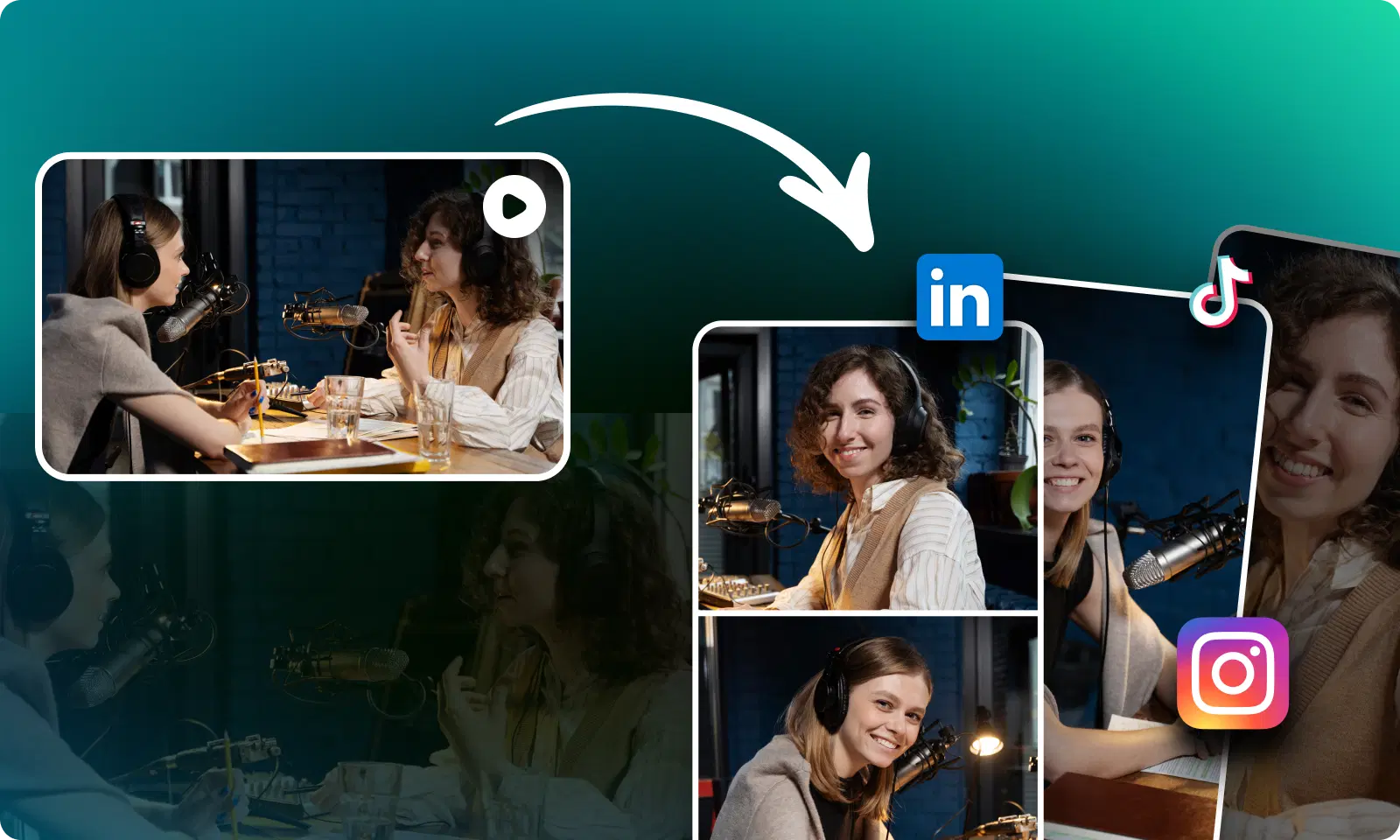
Can one video be optimized for every social platform? Yes, and that is precisely the promise of AI reframing. From one source file, you can generate 9:16 for TikTok, Reels, and Shorts; 4:5 for Facebook feed; 1:1 for X; and keep the 16:9 original for YouTube, all while the subject stays correctly framed in each version. VFX AI's AI Video Repurposing and AI Social Media Video Editing are built around exactly this one-to-many output.
Step-by-Step Guide Using VFX AI
Here is the repeatable pipeline that turns a single recording into a multi-platform content set.
Walk through it in practice:
- Record once, in landscape. Shoot your podcast, tutorial, interview, or talking-head video the way you normally would.
- Upload to the AI editor. One file, one upload.
- Let the AI analyze. It detects speakers, faces, and subjects and maps where the action is throughout the timeline.
- Reframe automatically. The software converts 16:9 to 9:16, tracking your subject so the vertical crop always frames the right thing. VFX AI's AI Auto Crop and AI Subject Tracking do this without manual keyframes.
- Clip the highlights. AI Video Clipping and Long-form to Shorts identify the strongest moments and cut them into standalone shorts.
- Add captions. AI Captions generate on-screen text so clips land with the sound-off majority.
- Export per platform. Output each clip in the right ratio for TikTok, Reels, and Shorts.
How do I convert a YouTube video into Shorts? This exact workflow: upload the long-form file, let the AI clip the best segments and reframe them vertically, add captions, and export as 9:16.
How do I resize videos for Instagram Reels or TikTok? Same path; you are simply choosing the 9:16 output and respecting each platform's safe zones.
Common Video Reframing Problems (and How AI Solves Them)
Why do vertical videos sometimes look bad? Usually because they were cropped from horizontal footage without regard for the subject, so heads get clipped, subjects drift off-center, and important detail lands under the platform UI. AI reframing fixes this by tracking the subject and honoring safe zones.
How do I prevent important objects from getting cropped? Rely on object and subject detection rather than a fixed center crop. AI keeps the actual subject, human or not, inside the frame instead of assuming it lives in the middle.
Best Practices
- Shoot with reframing in mind. Keep your subject reasonably central and avoid pushing critical action to the extreme edges of a wide frame.
- Lead with a hook. You have about three seconds on mobile. Put the payoff first.
- Always caption. A majority of mobile viewers watch on mute; captions are not optional.
- Respect safe zones. Keep faces, text, and logos in the clear central band.
- Review the AI's framing. Automation gets you 95% of the way; a quick scan catches the rare miss.
- Repurpose deliberately. Match each output ratio to where it will actually be published.
Also Read: Best AI Video Editor for YouTube in 2026
Who Needs AI Video Reframing?
Creators publishing daily who need volume without living in an editor. Businesses repurposing one marketing video across every channel. Agencies producing multi-platform content for many clients at scale. Podcasters mining long episodes for short vertical clips. Course creators turning lectures into promotional and lesson shorts. Marketing teams stretching a single production budget across TikTok, Reels, Shorts, LinkedIn, and more.
If you produce horizontal video and publish to vertical platforms, reframing is directly in your path.
Benefits of AI Video Reframing
- Speed: Minutes instead of hours per video.
- Consistency: Every clip is framed correctly, every time.
- Scale: One source file becomes a full multi-platform set.
- Quality: Subject tracking produces edited-feeling results, not raw crops.
- Reach: Native vertical formatting lifts completion and engagement on mobile.
- Focus: Your time goes to strategy and creativity, not dragging crop boxes.
How VFX AI Makes Video Reframing Easy
VFX AI is an AI-driven video editor built for exactly this problem. Upload one horizontal video and its AI Video Reframing, AI Auto Crop, and AI Subject Tracking convert it to vertical while keeping your subject perfectly framed. AI Video Clipping and Long-form to Shorts pull the strongest moments out of long recordings, AI Captions add sound-off-friendly text, and the AI Reel Generator and AI Video Repurposing tools output platform-ready cuts for TikTok, Reels, and Shorts. For conversation-heavy content, AI Podcast Clipping turns full episodes into a steady stream of vertical clips, while AI Video Enhancement helps polish the final result. It is designed so that one recording becomes a week of content without a manual timeline in sight.
Short-form vertical video is where attention lives, and it is not going back. The bottleneck was never a shortage of good footage; it was the tedious, unscalable work of reformatting that footage for every platform. AI video reframing removes that bottleneck. Record once, let the AI detect and track your subject, and publish everywhere your audience actually watches, each clip framed as if it were made for that feed.
Stop dragging crop boxes. Upload your next video to VFX AI, let it automatically reframe and clip your content into platform-ready shorts, and publish to TikTok, Reels, and YouTube Shorts, without the manual grind.